App Screenshots



AI assistant and search tool
Subtle but important changes: fixed internal bugs in the app. Now it works even better and faster.
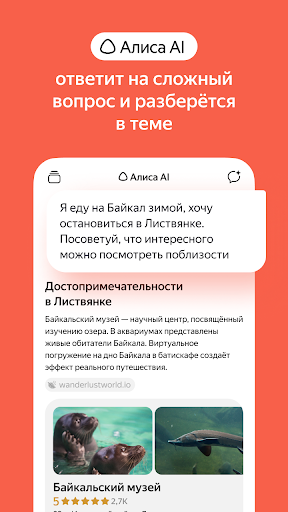
Яндекс — с Алисой AI combines standard mobile search with an AI assistant designed to deliver structured answers, local information, and visual tools. Instead of relying purely on standard web links, it organizes responses into clear step-by-step instructions, comparison tables, and localized organization cards that highlight business hours, addresses, contact details, ratings, and photos. Users can interact with the system using text, voice commands, or image input, making it a practical option for finding local services, working through study materials, identifying unfamiliar objects, and screening incoming calls.
Alice AI processes complex queries to generate organized responses, often presenting step-by-step guidance or data tables alongside search results. When answering queries about local businesses, the assistant surfaces organization cards containing essential contact data and user reviews. For academic support, users can capture photos of coursework, including geometry problems and handwritten text, to receive problem-solving breakdowns or punctuation checks. Because the assistant is optimized primarily for Russian-language content and regional databases, queries regarding international topics may yield less comprehensive results. Rephrasing the question or attaching a photograph provides additional context to improve answer precision.
The built-in smart camera processes visual input to perform multiple functional tasks without external software. Pointing the camera at an object initiates a visual search to locate similar items for purchase across online stores. The camera also scans printed documents, detects and opens QR codes, and provides real-time text translations for items like signs and product labels. In cases where the camera struggles to identify rare or complex items, adjusting the lighting, framing the object clearly, or combining the image with a short text description helps refine the visual search.
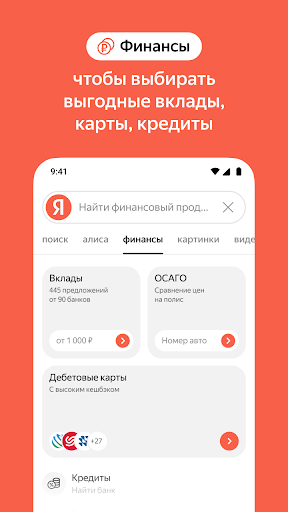
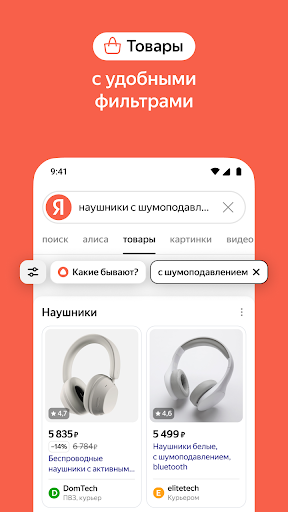
The app organizes complex search topics into specific categories, including Finance, Goods, Apartments, and Medicine. Within these sections, users can apply detailed filters to analyze options—such as comparing bank loan rates, comparing specific product specifications, sorting apartment listings by layout parameters, or selecting medical clinics by physician ratings. Aggregating data from multiple providers into a single interface allows direct comparisons without opening multiple web pages. The availability of specific filters and data partners depends on regional availability.
An integrated free caller ID feature helps users manage incoming phone calls from unknown numbers. By matching incoming calls against business databases and aggregated user reviews, the feature identifies incoming callers and flags potential spam before the user answers.
Your comment was submitted and is awaiting moderation.
Your comment was published.