App Screenshots
Customizable home screen replacement tool
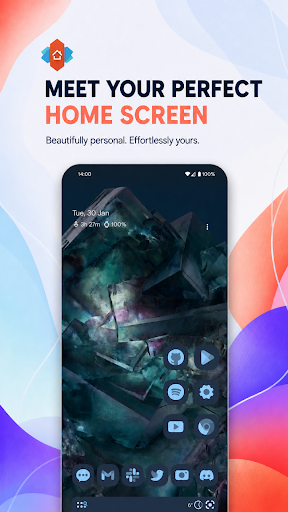
Customizing an interface allows you to change how you access everyday tools, and Nova Launcher: Home Screen serves as a complete replacement for your existing setup. It enables precise control over your device’s interface, allowing you to reshape application icons, adjust desktop grid dimensions, and apply dark or light themes that sync with system settings or the time of day. With support for thousands of third-party icon packages and subgrid positioning that lets you snap elements between standard grid cells, it offers detailed visual and layout tuning.
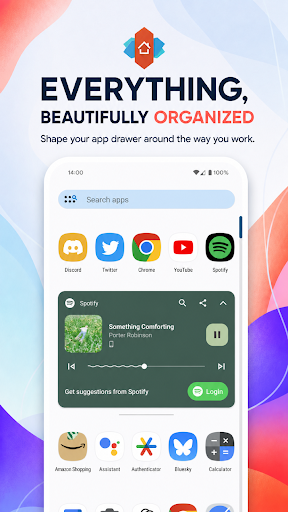
The app provides detailed controls for your layout, letting you adjust icon sizes, modify label colors, and change the placement of the search bar. Standard launcher grids often restrict where shortcuts and widgets sit, but subgrid positioning allows you to place icons and widgets halfway between grid cells for tighter alignments. You can also customize the app drawer with horizontal or vertical scrolling and utilize integrated visual cards that surface contextual information when needed.
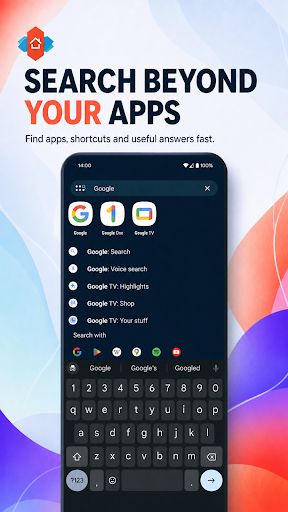
Built-in search tools allow you to query localized content directly from your interface. Entering a term scans across installed applications, contact lists, and connected third-party platform integrations. The search bar also processes immediate micro-results directly within the search interface, executing quick unit conversions, mathematical calculations, and package tracking without requiring you to open a dedicated browser or standalone tool.
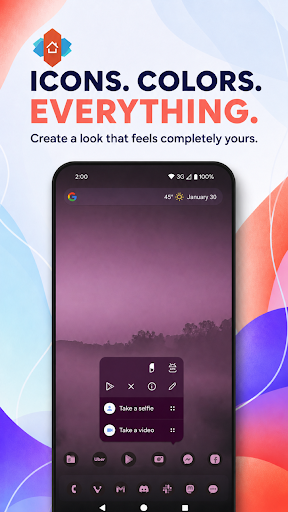
Visual adjustments extend to system colors and third-party styling. The app integrates with Material You color extraction to mirror system palettes, or it lets you manually assign custom color schemes. You can apply thousands of external icon themes downloaded from the Play Store and force uniform shapes across all app shortcuts for a consistent visual style. Theme switching can run continuously, follow system-level dark mode toggles, or shift automatically based on local sunrise and sunset times.
Configuring a complex interface requires a way to preserve your settings across device changes or experimentation. The built-in backup and restore utility saves your entire layout, icon configuration, and settings locally or to cloud storage for quick migration to another device. If you encounter issues while configuring your layout, direct support channels are available within the app settings alongside an official Discord community.
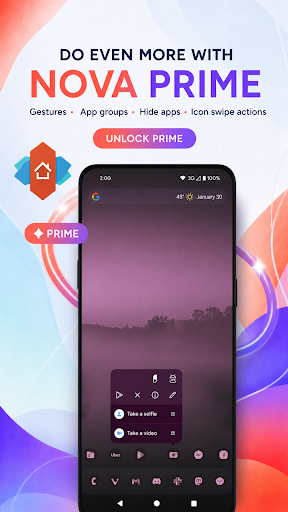
Upgrading to Nova Launcher Prime unlocks additional navigation and organization tools:
Your comment was submitted and is awaiting moderation.
Your comment was published.