App Screenshots
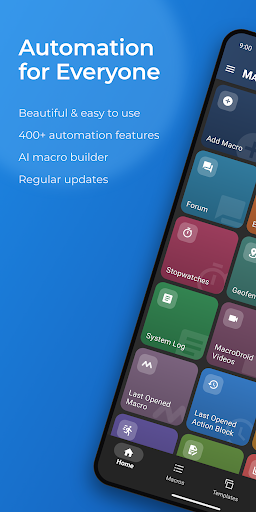
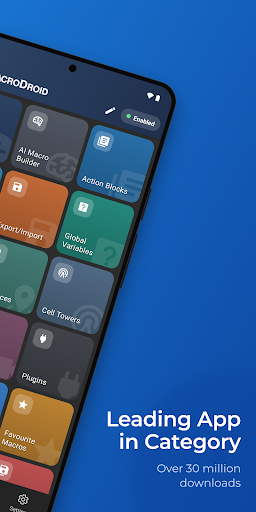

Device automation and task tool
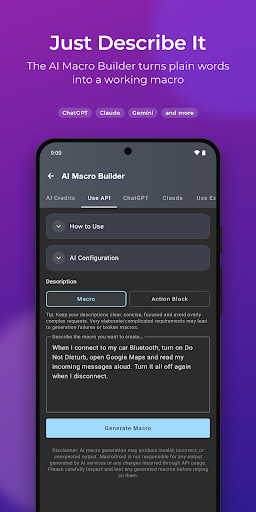
Added Chat GPT and Claude tabs to the AI Macro Builder.
Added Get Notifications action.
Added Trigger Enabled constraint.
Added Microphone Recording trigger.
Added File Opened with MacroDroid trigger.
Added new Stopwatch scene component.
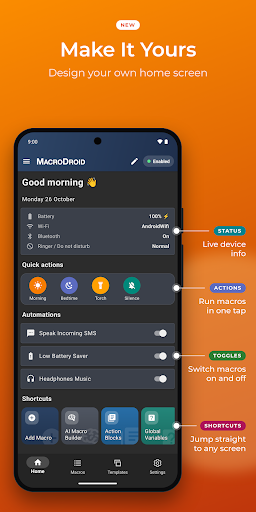
Added Recently edited shortcut bar home screen component.
Added AMOLED black option for dark mode (Settings > Dark Mode), using pure black backgrounds to save battery on AMOLED screens.
+ much more
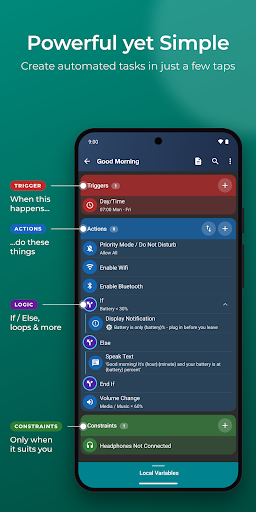
For anyone looking to automate daily phone routines, MacroDroid – Device Automation provides a simple way to configure custom actions without writing a single line of code. By combining triggers, resulting actions, and optional conditions, you can set your phone to perform tasks automatically—such as auto-rejecting calls during calendar meetings, starting a playlist when connecting to car Bluetooth, or turning off battery-draining radios at night. It balances ease of use through pre-built templates with advanced logic tools for complex custom setups.
Automation in the app relies on a straightforward three-part structure. First, you select a trigger from over 120 options, which include GPS locations, cell towers, battery levels, device sensors like shake or fold angles, incoming notifications, and connectivity changes. Next, you choose from more than 200 possible actions, such as sending messages, speaking text aloud, adjusting system settings, controlling media, or taking screenshots. Finally, you can apply constraints from a selection of over 80 conditions to ensure the sequence only fires under specific circumstances, such as connecting to work Wi-Fi exclusively during business hours.
New users can bypass manual setup entirely by browsing the built-in Template store. This community-driven hub allows you to install ready-made routines with a single tap and customize them as needed. For advanced power users requiring complex logic, the app supports user-defined variables, arrays, dictionaries, IF/THEN/ELSE conditional branches, loops, webhooks, and integration with Tasker and Locale plugins. Macros can also be activated manually using a home screen shortcut or a customizable sidebar.
The app includes a Wear OS companion app, enabling you to trigger routines and interact with configured macros directly from a smartwatch. The free version of MacroDroid allows users to build up to five macros with ad support. A one-time Pro upgrade removes all advertisement banners and unlocks unlimited macro creation without requiring a recurring subscription.
Your comment was submitted and is awaiting moderation.
Your comment was published.