App Screenshots



Child digital activity monitoring and screen time manager
Managing a child’s online activity requires a balance between safety and privacy. Bark – Parental Controls helps parents monitor their child’s digital life by analyzing content across text messages, email, YouTube, and over 30 social media platforms for potential safety issues. Instead of granting full access to every interaction on a child’s phone, the app operates by sending parents targeted alerts only when it detects concerning activity, such as cyberbullying, adult content, profanity, threats of violence, or indications of suicidal ideation. Beyond monitoring, it includes tools to manage daily screen time and filter out unwanted websites across both cellular and Wi-Fi networks.
The service scans text communications, emails, and dozens of social applications for potential risks without presenting a continuous feed of your child’s private conversations. When the system identifies problematic content—ranging from severe issues like online predators and self-harm risk to general profanity—it generates an alert for the parent. This alert-based design allows guardians to step in during serious situations while leaving safe, everyday communications private.
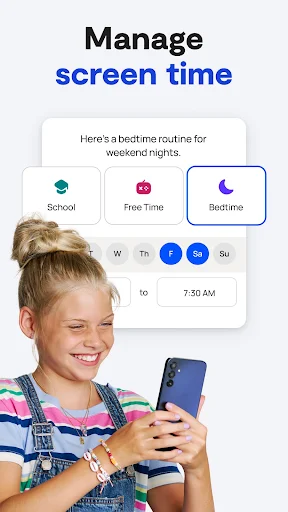
Parents can establish boundaries for digital access by creating schedules and enforcing time limits. These screen time controls dictate when a child’s device can connect to the internet, applying the rules across both mobile data and Wi-Fi connections. The app’s web filtering features allow parents to permit or block access to specific URLs or restrict broad categories of content, such as online gaming, streaming services, and adult material.
For home network management, families can integrate a separate hardware device called Bark Home, which plugs directly into a Wi-Fi router. Operated through the main parental control app, this hardware extension applies screen time rules and web filtering categories to every internet-connected device in the household, including smart TVs, laptops, tablets, and gaming consoles. Using Bark Home requires a continuous active subscription to the service.
Configuring the system requires downloading the management software on the parent’s device and installing the Bark for Kids companion app directly onto the child’s phone or tablet to enable monitoring and filtering. The service is available through two different plan levels: a complete tier covering content monitoring, screen time limits, and web filtering for $14 per month or $99 annually, and a Bark Jr tier focused strictly on screen time management and web filtering for $5 per month or $49 per year.
Your comment was submitted and is awaiting moderation.
Your comment was published.