App Screenshots


Office file viewer and PDF manager
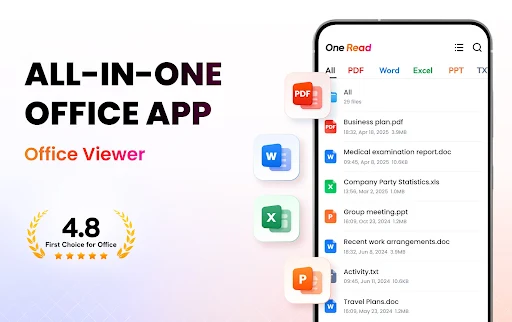
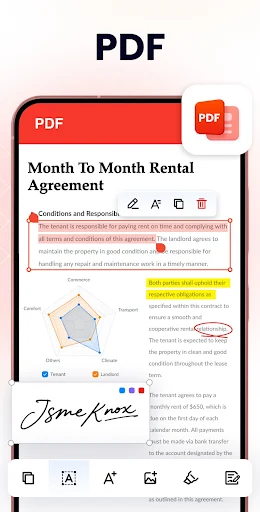
Finding, opening, and modifying multi-format files directly from a mobile device can be a disorganized process. Document Reader – PDF Editor acts as a centralized productivity hub, automatically scanning device storage to organize PDFs, Word documents, Excel spreadsheets, PowerPoint presentations, and text files into a unified folder view. Beyond serving as a viewer for office formats, it integrates direct PDF editing capabilities—allowing users to alter text formatting, append electronic signatures, insert images, doodle, and add text directly to their documents.
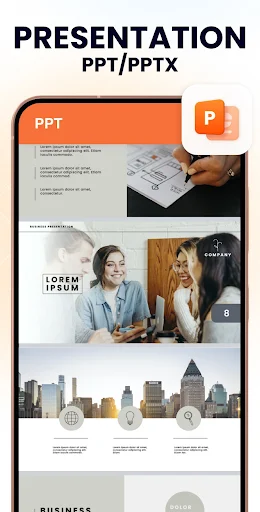
The app locates supported files on the device and sorts them into organized folder views based on format. Users can open and view Word files (DOC, DOCX), Excel spreadsheets (XLS, XLSX), PowerPoint presentations (PPT, PPTX), and plain text files (TXT) within a single lightweight application occupying approximately 12 MB of storage. A global search feature finds documents located inside or outside the software interface, while a Favorites list gives immediate access to frequently referenced files. Sorting options allow documents to be organized by name, file size, or date last modified.
While the app provides reading capabilities for various office documents, its editing functions focus specifically on PDFs. Users can navigate large PDF files by jumping directly to specific page numbers, zooming in on content, or inserting blank pages. The built-in converter handles bidirectional file transformations, turning images (JPG, JPEG, PNG, BMP, WEBP) or Word documents into PDFs, as well as exporting PDF pages into standard image formats saved directly to the device album. For annotation and document processing, the app includes tools to highlight, underline, or strikethrough text, draw directly on pages, add custom signatures, edit existing text layout and color, or compress, merge, and split PDF documents before sharing them.
Your comment was submitted and is awaiting moderation.
Your comment was published.