App Screenshots
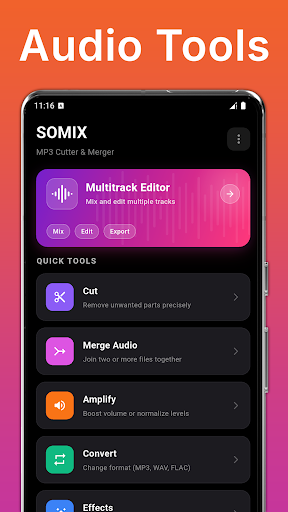
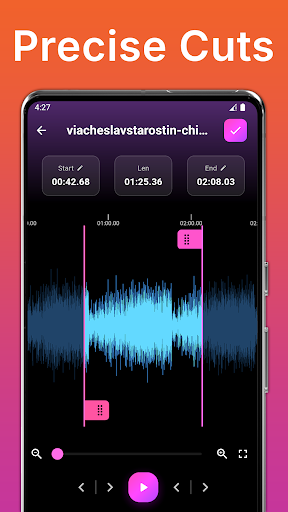
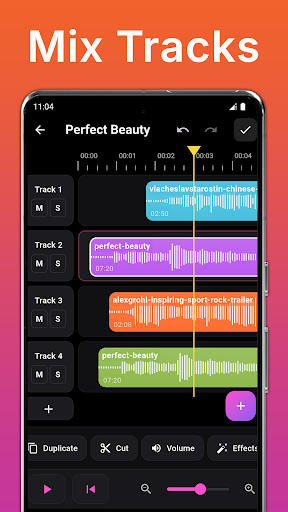

Offline audio cutter and merger tool
- Noise Cleaner feature added
- Timeline UI improvements.
- Bug fixes
Creating custom audio clips, ringtones, and multi-track mixes does not require a complex desktop suite when using MP3 Cutter and Merger – SOMIX. This mobile utility handles essential audio editing tasks on-device, allowing you to trim precise audio segments, extract soundtracks from MP4 videos, and join several recordings into a single file. Beyond simple cut-and-paste functions, it features a multitrack timeline for layering voiceovers over music, an integrated voice recorder, and an extensive conversion engine that reads and exports numerous popular audio formats without requiring an internet connection for its core tools.
Editing standalone clips relies on a custom-built waveform view designed for precision down to the millisecond. You can load music files, voice memos, or external recordings, isolate the exact segment you need, and remove unwanted sections. The output can be saved directly as a standard media file or assigned immediately as a custom phone ringtone, alarm signal, or notification sound.
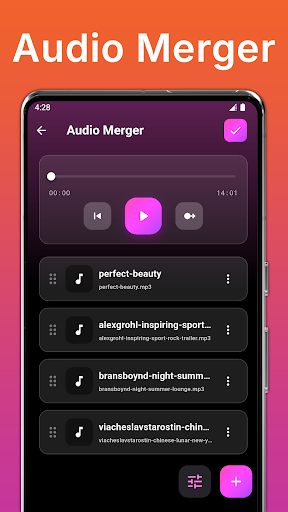
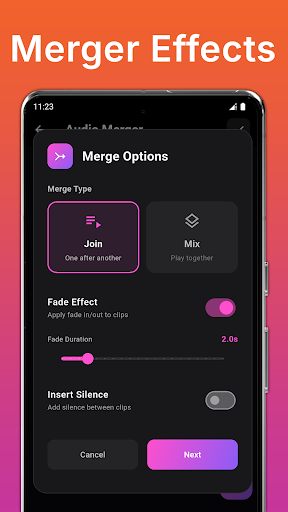
For projects involving more than one file, the app provides both straightforward joining tools and a multi-track editor. The audio merger lets you arrange multiple tracks in sequential order, apply optional fade-in and fade-out effects, and stitch them together into one continuous piece. If your project requires layering, the multi-track timeline lets you stack voice recordings on top of background music or align separate audio clips to create sound tracks suitable for social media videos and reels.
Beyond basic editing, the app includes a dedicated processing suite to modify sound quality and characteristics. The built-in effects editor allows you to alter speed and pitch, apply reverb or echo, and run noise reduction over messy recordings. You can also boost output levels using equalizer presets, extract full-quality MP3 audio directly from local MP4 video files, and record new voice clips using the integrated recorder.
File compatibility is handled through an extensive built-in converter. The app reads and exports a wide variety of formats, including MP3, M4A, WAV, AAC, FLAC, OGG, OPUS, WMA, AMR, and AIFF. Before saving a finished edit, you can adjust specific export parameters, such as bitrate, sample rate, and audio channels. An integrated preview player lets you audition your changes before rendering, while an internal file manager tracks your export history and lets you browse storage locations across your device and SD card.
Your comment was submitted and is awaiting moderation.
Your comment was published.