App Screenshots
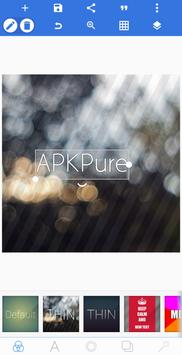
Text and 3D photo design editor
Fixed an issue that prevented the Gallery picker from opening on some Android phones.
Mobile graphic design often requires adding clear headlines, stylized graphics, or branding directly onto photos. PixelLab is a specialized editing app designed for fast text-on-photo compositions, high-impact 3D typography, and lightweight graphic layouts. Users can build custom posters, promotional banners, memes, and logos by combining layered text, vector shapes, background removal tools, and visual effects directly on their mobile devices.
Bold headlines form the structural core of layouts built within the app. Its 3D text engine allows creators to add realistic depth and beveling to lettering, turning flat titles into three-dimensional graphic assets. For fine-tuning readability over complex image backgrounds, the app offers control over shadow, inner shadow, emboss, and reflection effects. Spacing tools let users adjust individual letter kerning and line height to fit tight headers or wide captions. Additionally, text elements can be filled with solid colors, linear or radial gradients, or custom image textures to match a specific visual style.
The app comes pre-loaded with over 100 fonts ranging from clean sans-serif styles to decorative scripts and display typefaces. For branded content or specific visual projects, users can import custom font files directly from local device storage. Project files retain these custom font settings for future sessions, allowing creators to keep brand guidelines intact across multiple designs without resetting their typography preferences each time.
Layout flexibility depends heavily on canvas options. Users can work on solid color backdrops, complex gradients, imported photos, or transparent canvases suited for exporting standalone PNG logos. A built-in background remover targets solid colors like green, white, or blue to isolate subjects, while a dedicated color eraser cleans up stray edges on imported PNG graphic elements. To display designs in realistic contexts, the perspective warp tool allows users to map flat artwork onto angled surfaces, such as electronic screens, outdoor signage, or product packaging mockups.
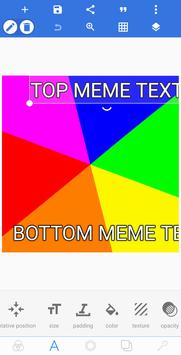
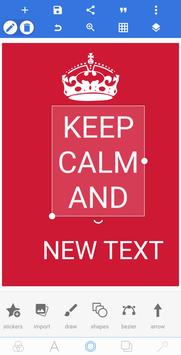
Beyond typography, the canvas can be customized using a library of stickers, emojis, geometric shapes, and preset quotes. A freehand drawing tool lets users sketch directly onto the image layer or build custom hand-drawn accents. For rapid content creation, built-in meme presets provide pre-formatted text positions, enabling users to insert image assets and generate shareable graphics in a single workflow.
Your comment was submitted and is awaiting moderation.
Your comment was published.