App Screenshots
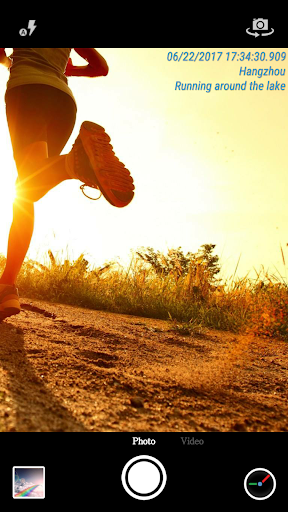
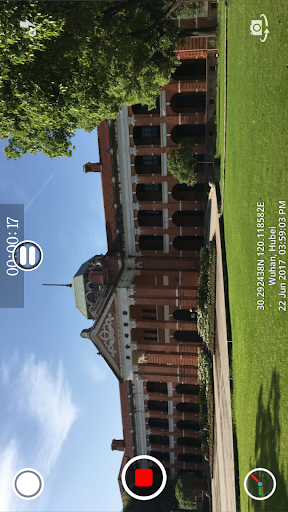
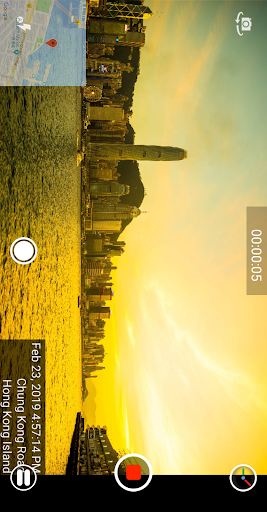
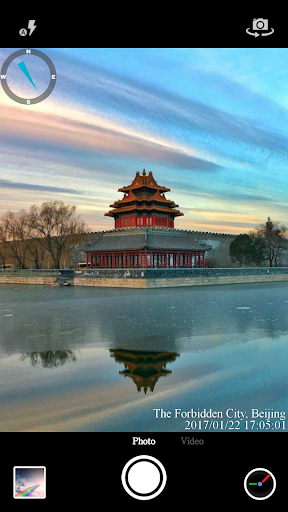
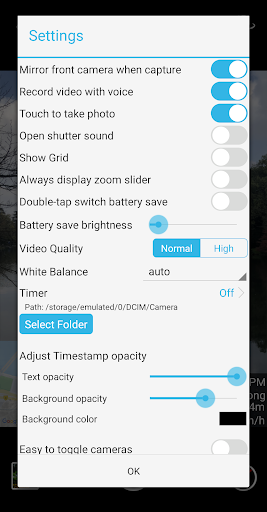

Add time and location stamps to photos
- UI improvements
Capturing standard photos and videos often lacks the verifiable context needed for official or time-sensitive records. Timestamp Camera solves this issue by stamping real-time data directly onto media during capture, allowing users to document precise date, time, and location information for site inspections, work progress, delivery verification, or personal travel logs. To ensure the overlay does not obscure critical details in the shot, the app allows positioning watermarks across seven screen areas and offers 61 customizable timestamp formats with adjustable visual styles.
The app automatically embeds current time and location information directly into photos and videos as they are taken. Because the watermark appears on the live camera view before shooting, users can verify readability and placement beforehand. Beyond basic time and date displays, the location data can include a GPS address, map preview, compass direction, altitude, and moving speed. For video recordings, the timestamp can track accuracy down to milliseconds, making it suitable for situations where precise timing is essential.
To fit different environments and visual requirements, the app provides 61 distinct timestamp formats. Users can alter the font, text color, size, opacity, and background to keep the information readable against bright outdoor sunlight or dark indoor settings. This flexibility allows for low-profile, subtle text on casual photos, or prominent, high-contrast stamps with solid backgrounds for formal job site and inventory documentation.
A fixed overlay can easily block important photographic evidence, such as a package label or a serial number. Timestamp Camera addresses this by allowing users to shift the watermark into seven distinct screen zones, including the corners, center positions, and lower areas. In addition to geographical and temporal data, users can attach custom text notes or custom logos directly to the preview frame.
When recording video, the app includes several practical media settings. Users can adjust the video resolution, toggle audio input options, and enable a battery saver mode during extended capture sessions to manage device resource consumption.
Your comment was submitted and is awaiting moderation.
Your comment was published.