App Screenshots
Minecraft Java Edition game launcher
Day-1 patch for the Gladiolus major update
- Fixed some control layouts not loading
- Fixed launcher UI getting stuck sometimes
- Fixed crashing in the control editor when rapidly deleting buttons
- Improved default localization strings
- Added some localization updates
PojavLauncher functions as an open-source client that runs Minecraft: Java Edition on mobile devices. By signing in with a purchased Java Edition account, users can play legacy releases, current builds, and snapshots. Account data is encrypted locally on the hardware, and the app serves as a bridge for running both vanilla worlds and modded setups without third-party ads.
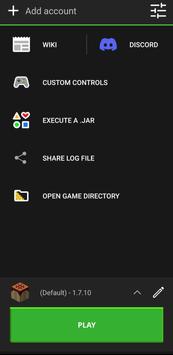
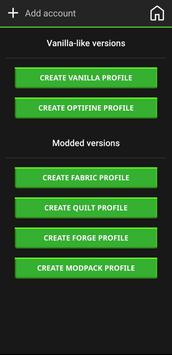
The launcher handles multiple game installations by separating vanilla releases from modded environments. Users can select specific versions directly from the main interface or build custom profiles. Creating dedicated profiles ensures that older builds, experimental snapshots, and separate game instances maintain their own files and settings without interfering with each other.
Support for Forge, Fabric, and Quilt lets players run desktop-style mods on mobile hardware. Individual loader profiles help isolate lightweight Fabric setups from heavier Forge modpacks. The app also handles resource packs and shaders, though performance depends heavily on the device’s processing capacity. Because modded setups require matching versions across the base game, loader, and individual mods, starting with smaller collections is practical to prevent launch failures and high memory usage.
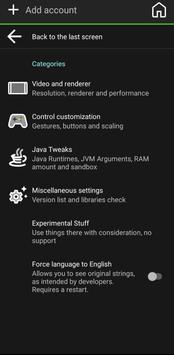
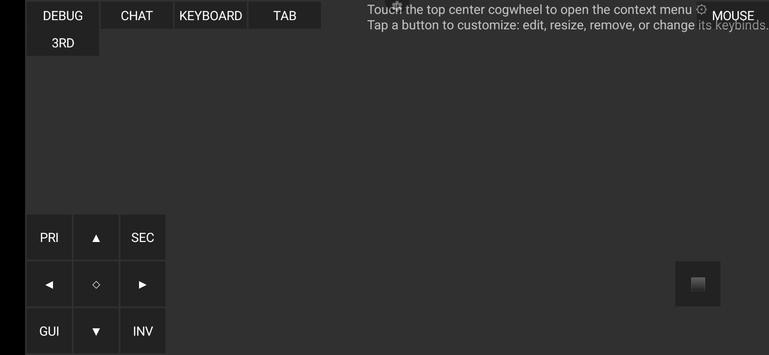
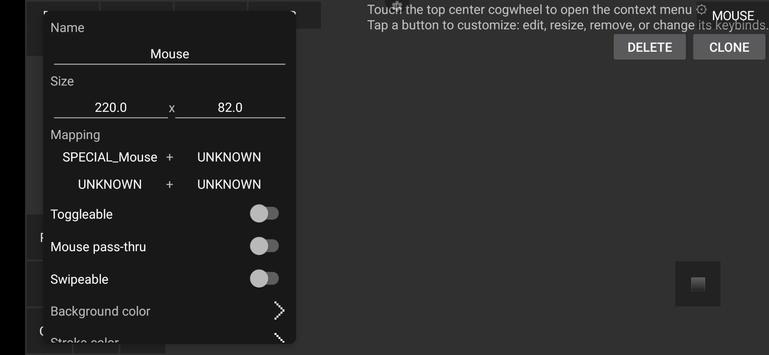
To translate desktop inputs, the software features an on-screen control layout editor. Touch controls can be mapped, resized, and repositioned to put movement, inventory management, and action buttons in comfortable locations. For a setup closer to playing on a computer, the app supports connected mice, keyboards, and controllers, using the touch overlay as a reliable fallback when external hardware compatibility varies.
Your comment was submitted and is awaiting moderation.
Your comment was published.













 How to play Minecraft Java Edition on Android: MojoLauncher, Pojav and FCL