App Screenshots
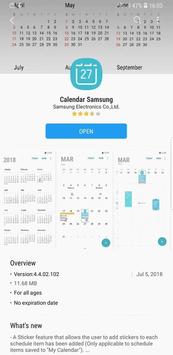
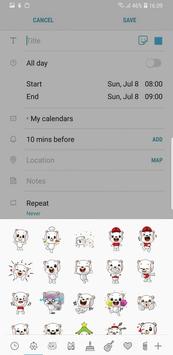
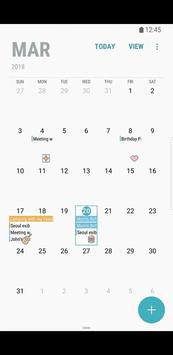

Schedule and task management tool.
Samsung Calendar serves as a central scheduling tool that lets users organize personal schedules, build task lists, and track events across multiple timeframes. By combining internal entries with external calendars like Google Calendar into a single interface, it provides a comprehensive view of upcoming commitments. Users can quickly create new entries by tapping dates, configure custom recurrence patterns, assign visual color codes to separate different calendars, and check weekly weather forecasts directly within their agenda.
Scheduling involves consolidating events from various sources, and the app accommodates this by pulling in external calendars alongside local entries. Users can categorize distinct schedules using specific color codes, making it easier to differentiate personal obligations, work projects, or shared commitments at a glance. To review these entries, the app offers dedicated display modes for daily, weekly, monthly, and yearly horizons, as well as a streamlined task view. Navigating between consecutive days, weeks, months, or years requires only a simple horizontal swipe across the screen.
When setting up a new event, the app provides tools to tailor both timing and context. Users can define specific recurrence patterns for repeating commitments and adjust the time zone setting to reflect regional shifts. Entries can also store rich details drawn from device permissions: users can pin location information directly to an event, attach relevant photos and videos, or link contacts to generate attendee invites and display birthdays within the schedule.
To ensure upcoming commitments are not missed, the app supports a variety of notification configurations tailored to individual events. Beyond opening the application itself, users can monitor their agenda from the home screen using customizable widgets. These widgets come in several visual layouts with adjustable transparency settings, allowing the schedule to blend seamlessly with personal background designs while keeping daily tasks immediately accessible.
Your comment was submitted and is awaiting moderation.
Your comment was published.