App Screenshots
Popular categories
Digital drawing and painting studio
New features added to the Premium Bundle:
Resize canvas or image
Set canvas size in inches or centimeters
Set canvas resolution in px/inch or px/cm
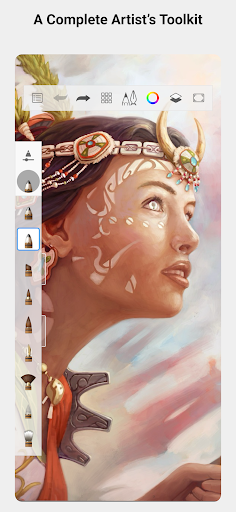
Sketchbook is a digital drawing app designed to help artists and casual illustrators sketch quick ideas or create fully finished artwork. It provides a focused canvas with an interface engineered to keep tools out of the way, giving you a natural feel while working. With a wide range of configurable brushes, precision linework tools, and flexible layer management, it allows users to handle everything from loose thumbnails to detailed compositions directly on mobile screens.
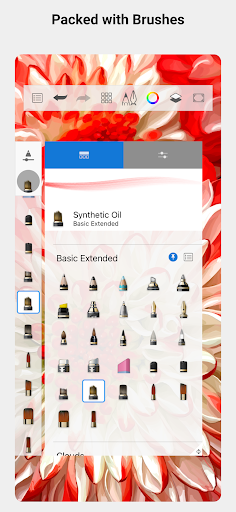
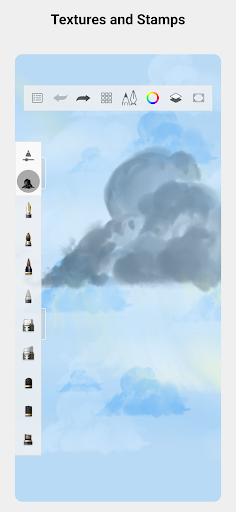
The app includes a diverse library of drawing tools that emulate traditional mediums, such as graphite pencils, markers, airbrushes, and smudging tools. Each brush can be adjusted for size, flow, and texture to match specific artistic styles. For instance, you can use a pencil-style brush to rough out an initial structure, switch to a marker for bold outlines, or reduce a brush’s flow to create smooth shading transitions. Texture adjustments also allow you to add tooth or smoothness, mimicking different paper surfaces or ink qualities.
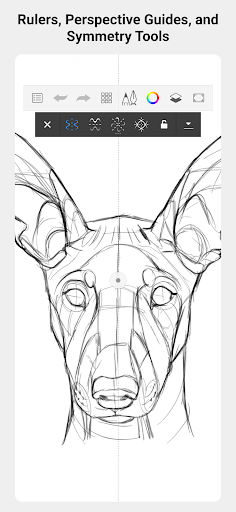
To assist with clean and accurate drawing, the app offers precision guides, rulers, and stroke tools. These aids help draw straight lines, align strokes, and maintain measured proportions, making them practical for architectural details, product concepts, or comic paneling. Enabling stroke assistance reduces accidental line wobble on smaller displays. When space is constrained, you can zoom in tight on details and use rulers to maintain crisp edges without being hindered by the size of your device screen.
A multi-layer system provides control over composition by letting you separate sketches, colors, shadows, and highlights. You can hide, show, reorder, and apply blend modes to different layers, allowing you to experiment with colors and tonal effects without altering your underlying line art. Blend modes can lighten, darken, or mix colors subtly across your piece. To maintain smooth performance when working on complex projects, it can be helpful to manage the number of active layers, as hardware limitations may affect very large, layer-heavy canvases.
Your comment was submitted and is awaiting moderation.
Your comment was published.