App Screenshots
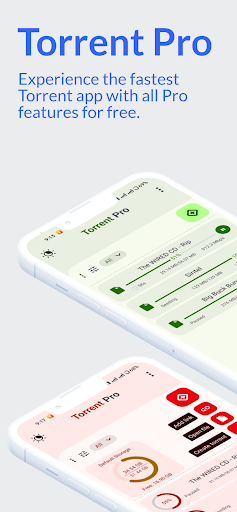
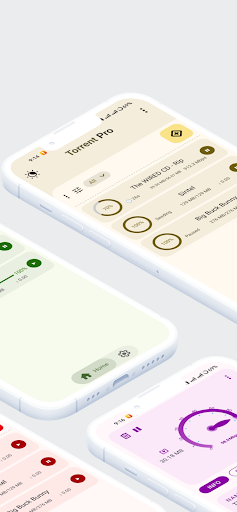
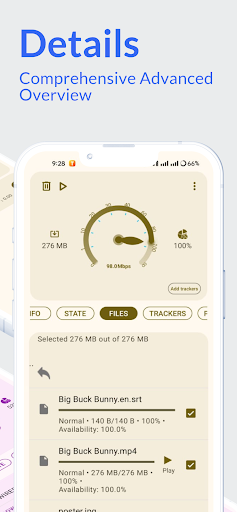
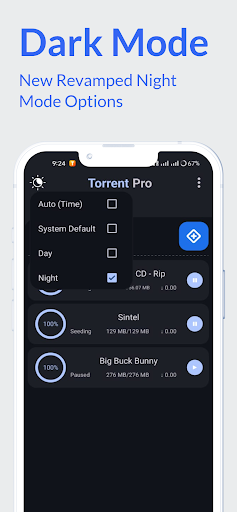

Peer-to-peer file sharing client
🌟 Updated Torrent Engine
🌟 Updated Target Version
🌟 UI-6 (Material Expressive UI)
🌟 App Wise Speed Limit
🌟 Decreased Power Consumption
🌟 Add Speedtest Option
🌟 Individual Torrent Default Trackers Selection
🌟 Add Seed/Peer
🌟 And Many More...
** Check Highlights of Ver.10 at https://tinyurl.com/Torrent-V10-Highlights **
🌟🌟For More Info Please Visit Our Official Website https://torrentpro.qinfro.com
🌟 Please encourage us with 5🌟 rating, It help us to work hard & serve you better :)
Downloading torrent files directly to a device requires a client that manages network data efficiently while giving control over data usage and file management. Torrent Pro – Torrent Download serves as a specialized torrent client designed to retrieve media and files via magnetic links or web search engines. Beyond basic fetching capabilities, the app integrates daily refreshed default trackers to improve connection speeds and includes a native audio and video player, allowing users to preview media files immediately as they download without requiring third-party playback software.
Managing data consumption is a central function of the app. Users can configure a Wi-Fi Only mode to prevent downloads from running over cellular data networks. For battery management, a dedicated Power Saver mode dynamically adjusts resource usage, allowing settings that restrict active downloading to times when the device is plugged in or automatically pause transfers if the battery drops below a specified percentage. The app also features an Auto Shutdown option that fully closes the app once all active queues finish.
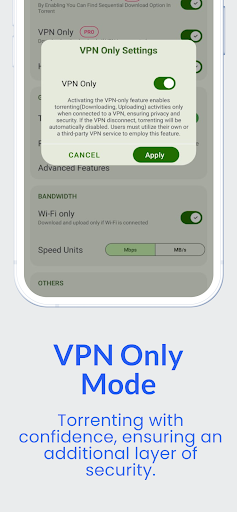
To control privacy during transfer sessions, the app includes a VPN Only mode that halts torrenting activity whenever an active VPN connection is disconnected. Users can further manage their privacy parameters by resetting user-agent strings, routing tracker communications strictly through proxy servers, and applying a Hide Identity option to restrict incoming connections, though this specific restriction does not apply to private torrent transfers.
The interface supports visual adaptations, including a Material-3 Dynamic Theme that matches app accent colors to user preferences alongside an automatic Dynamic Dark Mode that switches based on the time of day. Transfer progress can be monitored through either a circular or horizontal dual progress bar format, with speed metrics displayed in customizable units of Mbps or MB/s. An internal search function connects directly to a browser to locate web torrent links across various external sources.
Your comment was submitted and is awaiting moderation.
Your comment was published.