App Screenshots

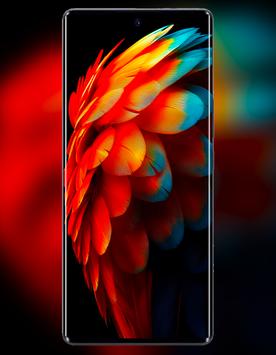
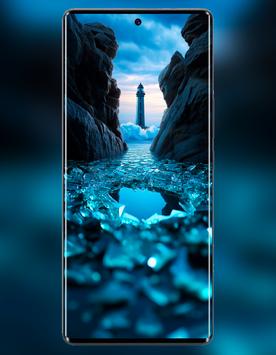
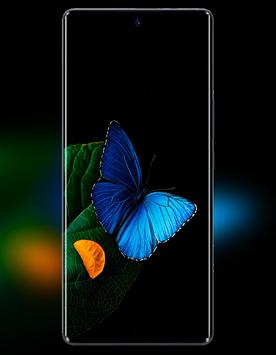
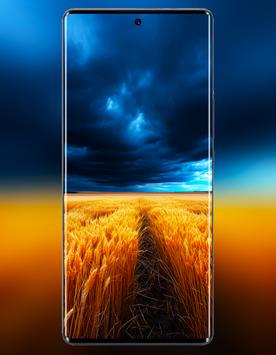
HD and 4K phone backgrounds and filters.
Customizing a smartphone display involves finding an image that matches both personal taste and screen layout. Wallpaper for Infinix Note 50 provides a broad collection of static HD and 4K imagery tailored for the Infinix Note 50 series—including the Note 50 Pro and Note 50 Pro Plus—as well as other compatible devices. Beyond standard browsing, the app lets users preview backgrounds against interactive home screen and lock screen mockups, modify visuals with built-in filters, and store high-resolution files locally for offline use.
The library covers a range of subject matter designed to fit different visual styles. Illustration fans can browse detailed anime artwork, digital art compositions, and AI-generated designs. Users looking for photographic options can select from natural landscapes, close-up botanical subjects, and food photography. For setups focused on battery efficiency or darker aesthetics, the app includes dedicated AMOLED backgrounds engineered to balance bright elements against deep dark areas so app icons and widgets remain readable.
Choosing an image often requires seeing how it looks behind actual system elements. The built-in preview tool displays the wallpaper under simulated home screen and lock screen layouts, helping users evaluate composition and contrast before making changes. If a picture needs adjustment, integrated visual filters can alter its overall appearance. Once configured, the updated image can be set directly to the home screen, lock screen, or both simultaneously.
When saving a background to local storage, the app offers several resolution choices, including native screen matching, QHD+, and full 4K. Users can keep track of their preferred designs by adding items to a Favorites list or reviewing previously selected images through a dedicated history section. For environments without an active internet connection, an included offline pack ensures a selection of wallpapers, preview tools, and application features remain accessible without using Wi-Fi or mobile data.
Your comment was submitted and is awaiting moderation.
Your comment was published.