App Screenshots
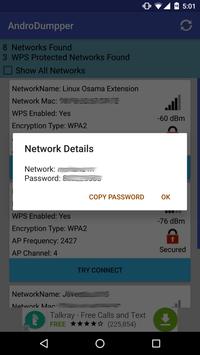

Wireless network security testing tool
- Im happy to announce that i Re-Enabled Online Method again,,and it will be more stronger by time
- Removing PlayStore violation
- App has ( Read Phone State ) permission for protection purposes
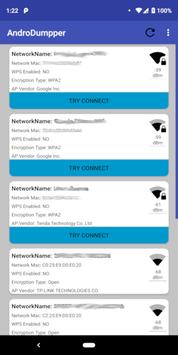
AndroDumpper is a network utility designed to test Wi-Fi router security by attempting to establish connections through known WPS (Wi-Fi Protected Setup) vulnerabilities. Intended for educational and security testing purposes on networks you own or have permission to audit, it uses specific algorithms to attempt router connections and retrieve network details. Beyond standard WPS testing, the application can extract saved network passwords directly from your device and features an online lookup method to check password data for non-WPS routers.
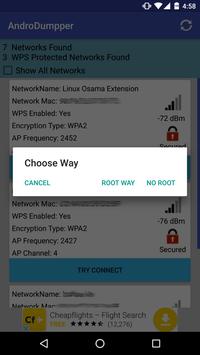
How the app operates depends heavily on your system permissions and OS version. Devices running Android 5.0 through Android 8.0 can attempt WPS connections using either a Root or No-Root method. If your device is rooted, the app can display the actual network password upon connecting; without root access, it can attempt the connection but cannot reveal the plain-text password. On Android 4.4 and older, root access is mandatory for both connecting to networks and displaying passwords.
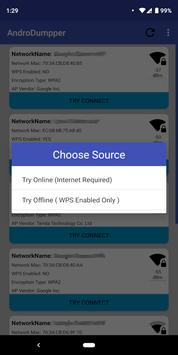
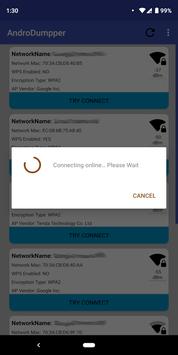
Starting with Android 9 (Pie), operating system changes permanently removed WPS connection support across all third-party applications, rendering both Root and No-Root WPS methods non-functional on newer devices. To adapt to these system restrictions, an Online Method was introduced. This mode relies on an active internet connection to query online router password information, allowing users to look up network data even if WPS is disabled or unsupported by the operating system.
Rooted users can access a dedicated Saved Networks menu to view stored passwords for Wi-Fi networks previously connected to the device. Additionally, if you already know the specific WPS PIN for an access point, you can input it manually to initiate a connection and retrieve the network details.
The app’s success relies entirely on whether an access point carries a specific, unpatched WPS vulnerability. Testing the app on a network your device is already connected to or has saved will always result in a successful connection report, which does not accurately indicate whether the router is actually vulnerable. If a target router lacks the specific WPS vulnerability or has WPS disabled entirely, standard connection attempts will fail.
Your comment was submitted and is awaiting moderation.
Your comment was published.