App Screenshots


Phone call recording utility
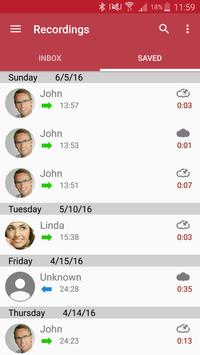
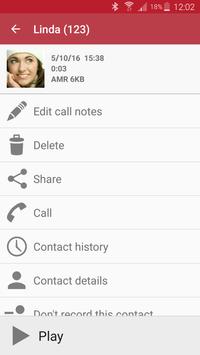
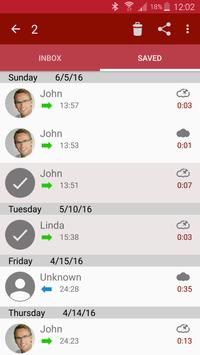
Phone conversation management often requires keeping accurate records of important personal or business calls. Automatic Call Recorder automates this process by capturing incoming and outgoing telephone calls directly on your device, allowing you to choose which conversations to store and which to discard. Users can listen to playback, attach custom notes, and share audio files. Cloud integration with Google Drive and Dropbox enables automatic saving and synchronization, while configurable inbox limits ensure that local device storage remains under control.
The app operates using three main baseline configurations to handle incoming and outgoing traffic. By default, it records every conversation unless a specific contact is set to be ignored. Alternatively, it can be set to ignore all calls except those from designated contacts, or configured to record exclusively calls from unknown numbers while ignoring saved address book entries. Users can also enable an immediate call summary menu that displays recording options right after a conversation ends.
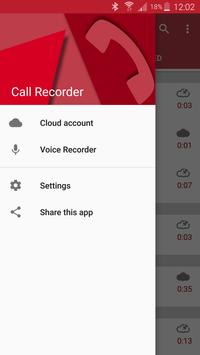
Recorded audio is initially directed to an inbox. To prevent unmanaged calls from consuming all available device space, old recordings are automatically overwritten by incoming ones once the inbox capacity is reached. Important conversations can be manually moved to a designated folder for permanent storage, where the total number of saved calls is restricted only by the physical memory of the handset. Audio files can be uploaded and synced to Dropbox or Google Drive. In the Pro version, calls from specific contacts can be designated to automatically save directly to the cloud.
Because hardware variations can affect recording quality or cause failure on certain phone models, alternative configuration options are available within the settings. If audio issues occur, users can switch between different audio recording sources or enable an auto-on speaker mode to improve voice clarity. Reviewing recorded logs is facilitated by a search feature that locates specific files by contact name, phone number, or attached notes.
Your comment was submitted and is awaiting moderation.
Your comment was published.