App Screenshots
AR drawing and tracing projection tool
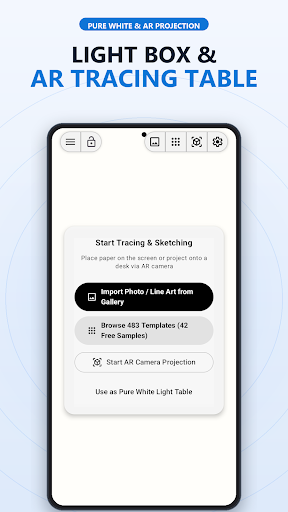
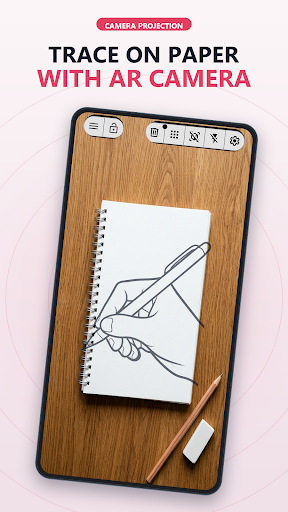
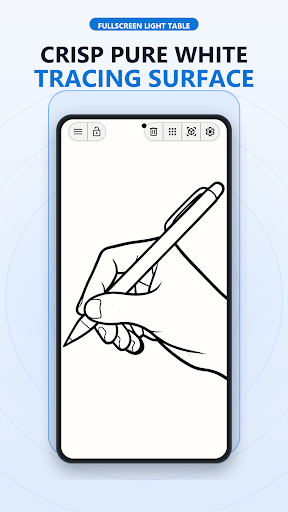
Artists, crafters, and illustrators can turn their device into a double-duty tracing tool using Light Box +AR: Trace & Sketch. The app acts as a traditional light table by converting the display into a high-brightness canvas for manual tracing, and it offers an Augmented Reality camera mode that projects reference images directly onto physical paper. With additional tools like touch locking, an automated line art scanner, and built-in templates, users can complete precision transfer work across drawing, hand lettering, tattoo stenciling, and craft pattern creation.
The app functions through two distinct tracing workflows depending on project needs. In standard Light Box mode, the screen acts as an illuminated backplate to trace physical paper laid directly on the display. This mode features Color Temperature presets ranging from 2700K Warm to 6500K Daylight, along with Anti-Flicker DC Dimming to maintain eye comfort during long sessions. For projects where paper cannot rest directly on the screen, AR Trace mode uses the device camera to project a reference photo or template onto external drawing paper in real time.
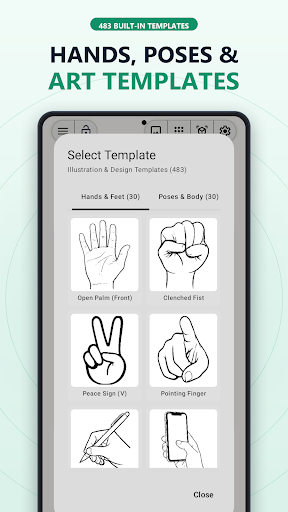
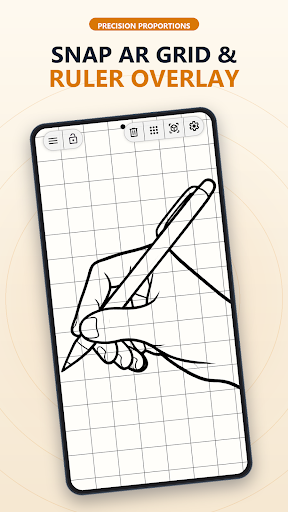
A built-in library of 483 templates provides base assets for various creative disciplines, including anime faces, hand poses, animals, ruled notebook layouts, calligraphy sheets, and music staves. For technical and structural work, the app includes perspective grids spanning one-point, two-point, three-point, isometric, and fisheye projections, alongside an AR Grid & Ruler overlay to maintain accurate proportions when transferring scale.
To simplify preparation, a high-precision line art scanner converts imported photos into clean black-and-white outlines suitable for tracing. While working in either mode, a one-tap Screen Touch Lock freezes the visual canvas so that reference images do not shift, zoom, or rotate when paper touches the screen. Users can also document their workflow using an integrated time-lapse recorder that captures the sketching process in a 9:16 vertical format tailored for video platforms.
Your comment was submitted and is awaiting moderation.
Your comment was published.