App Screenshots

Offline notepad for lists and reminders
Keeping personal notes, daily to-do lists, and media files organized in one place can be challenging without a structured tool. Note Keep – Notes and Lists provides a space for capturing quick ideas, building checklists with checkboxes, and attaching supplementary media like photos and voice recordings to your entries. Designed to work offline by default, the app stores data locally on your device without forcing an account setup, while giving you the option to sign in and sync your notes to the cloud whenever you need a backup.
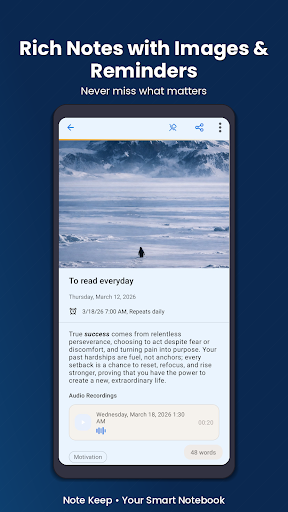
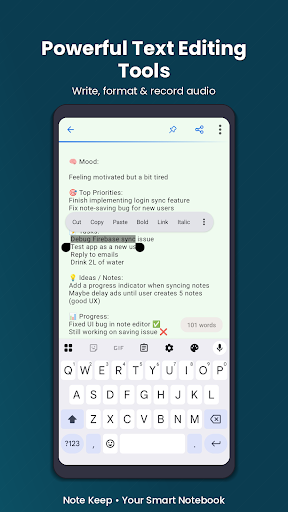
Text alone is not always enough to capture important information. Inside your entries, you can attach photo files or capture audio notes directly, keeping visual reference materials and voice recordings tied directly to the relevant written content.
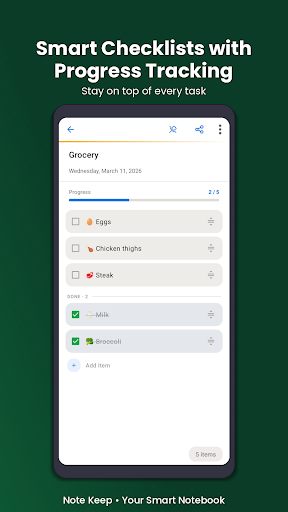
Standard notes can be converted into interactive checklists to help track daily chores, shopping items, or step-by-step tasks. To help you stay on schedule, you can attach direct reminders to individual notes. These alerts remain active even after you close and reopen the app.
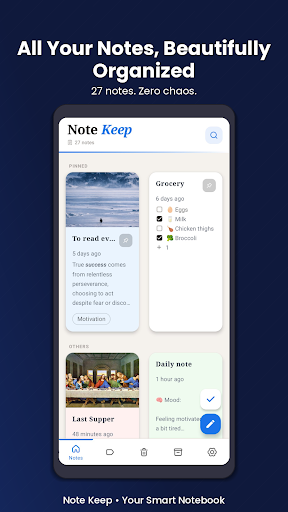
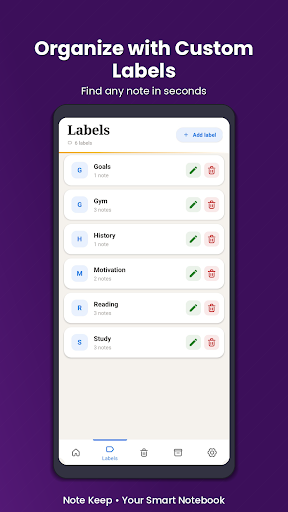
To keep a growing collection of notes manageable, the app lets you organize entries using custom labels, pin essential notes to the top of your list, archive older items, or send unneeded content to the trash. A built-in search function allows you to retrieve specific text quickly. For immediate viewing, home screen widgets give you direct access to your notes without opening the main interface first.
The layout offers flexibility in how you browse your content, supporting both grid and list views alongside a light or dark theme. Because the app prioritizes local storage, your notes remain fully editable and accessible without an internet connection, leaving cloud backups entirely optional and under your control.
Your comment was submitted and is awaiting moderation.
Your comment was published.