App Screenshots



Software update checker and management tool
* Bugs Fixed
* Crashes Fixed
* Update Play Store Guide
* Play Store Update Fixes
* Play Services Update Guide
* Apps & Software Update
* Bugs Resolved
* UI Change
* Quick Settings
* Device info
* Multiple languages support.
1- English
2- Italian
3- French
4- German
5- Japanese
6- Spanish
7- Hindi
8- Korean
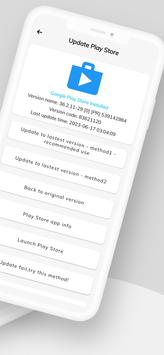
Finding deep menu paths for core system components can be frustrating when simple software errors occur. Update Play Store serves as a utility tool that streamlines access to the native storefront’s management options, helping you verify its current build version, check for app store updates, or revert to an earlier build by uninstalling recent updates. Beyond managing the store app itself, it aggregates system diagnostic data—including CPU specifications, hardware sensor readings, and installed application lists—into a single interface with direct shortcuts to device management settings.
The app functions as a shortcut hub for managing the primary app repository on your device. Because the core store client does not feature a standard listing for self-updates, this tool checks your current build details, displays the exact version number alongside its original installation and update dates, and provides direct paths to either trigger a client update or roll back problematic store updates to fix errors.
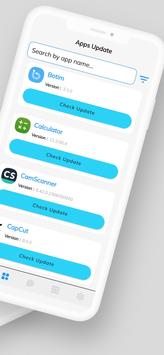
In addition to managing the store client, the app scans all user-installed applications to check for pending updates and facilitates quick batch uninstallations. It also includes a general software update checker to help you verify if newer system updates are available for your device hardware, saving you from navigating through standard system settings.
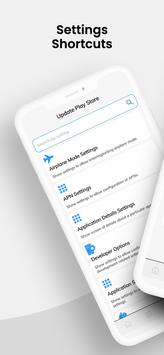
The utility provides an overview of internal hardware specifications, detailing component data for your phone’s CPU, active hardware sensors, and overall device status. Integrated settings shortcuts let you jump directly to buried configuration menus, and the interface includes light and dark visual themes alongside support for multiple languages.
Your comment was submitted and is awaiting moderation.
Your comment was published.