App Screenshots
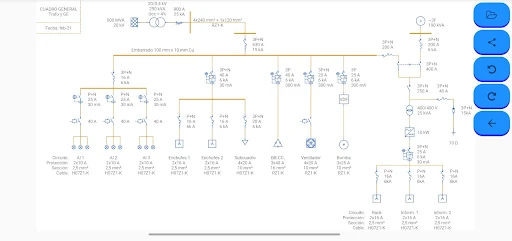
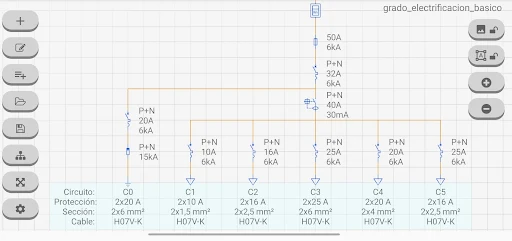
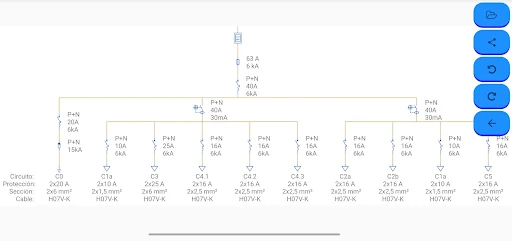

Create electrical installation diagrams
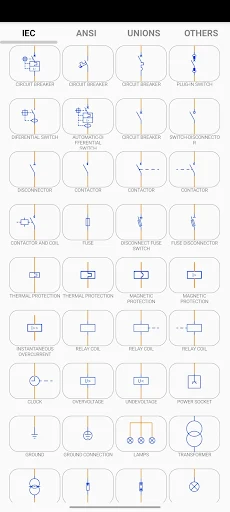
Creating single-line electrical installation diagrams requires precise standardized notation. SLD | Electrical diagrams provides a visual drag-and-drop workspace for drawing these schematics using standard electrical components. Users select symbols from an integrated library and position them on a canvas to represent complete installations. The app includes both IEC and ANSI standard notation for components such as circuit breakers, transformers, motors, protective relays, and photovoltaic panels, allowing users to map out systems and export their completed work.
The core of the drafting workflow relies on an extensive collection of technical symbols adhering to IEC and ANSI standards. When building a single-line schematic, users can place power generation and conversion components like generators, batteries, rectifiers, inverters, solar panels, and transformers with up to three windings. Switching and protection devices are covered with dedicated symbols for circuit breakers, fuses, contactors, disconnectors, differential switches (RCDs), and thermal or magnetic relays.
For motor control and industrial automation schematics, the library includes soft starters, star-delta transformers, variable resistances, limit switches, solenoids, valves, and control interlocks. Basic measurement tools such as voltmeters, ammeters, active wattmeters (kWh), reactive varimeters (kvar), and frequency meters can be incorporated alongside simple conductors, phase lines, neutral connections, and grounding points. Text labels can also be placed directly on the diagram to document exact values for volts, amperes, watts, and energy metrics.
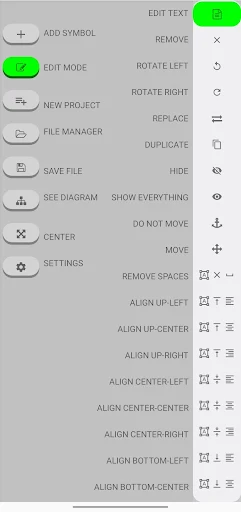
The functionality of the app depends heavily on the active tier. The basic version grants access to the full symbol library and allows users to draft a single-line diagram, which can then be exported and shared as an image, PDF, or file. However, this version does not support saving schemes within the app to work on later; once a schematic is created, opening a new one is not supported, and ad banners remain present on screen. Upgrading to the PRO version via an in-app purchase removes ads, enables full save and edit functionality for multiple custom files, and provides access to pre-built schematic examples.
Your comment was submitted and is awaiting moderation.
Your comment was published.