App Screenshots
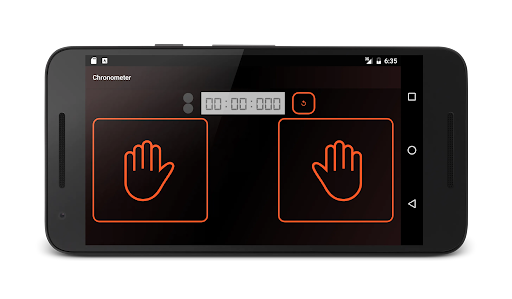
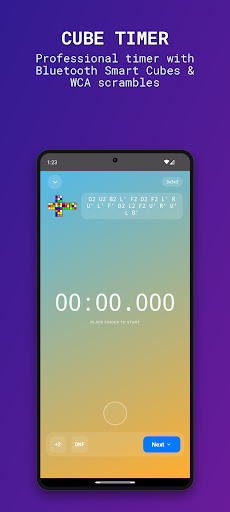
Rubik cube timer and puzzle chronometer
What's new in 4.2
• Solver for every puzzle: paint your 2x2 to 7x7, Megaminx, Pyraminx, Skewb, Square-1 or Clock in 3D and get the solution with a step-by-step guide.
• New timer layout with a large puzzle, optional in Settings.
• Foldables: the timer uses both halves of the screen, also in tabletop posture.
• "My cube is already solved": fix a smart cube that the app shows as scrambled.
• Many fixes.
SpeedCube Timer – Rubik Chrono is a timing and tracking app designed for competitive speedcubers and casual solvers who want to improve their solve times across all official WCA puzzles, including 2x2x2 through 7x7x7, Megaminx, Pyraminx, Skewb, Square-1, and Clock. Beyond standard manual chronometer tools, it features native Bluetooth smart cube integration that automatically logs every physical turn you make while tracking turns per second and rhythm consistency.
The app pairs directly with popular Bluetooth smart cubes from brands like GAN, MoYu, QiYi, GoCube, Rubik’s Connected, and Giiker. Connecting a supported puzzle allows the app to record moves automatically, monitor real-time battery levels, and generate interactive 3D solve reconstructions. If you run into an unfamiliar case, an interactive 3D solver provides step-by-step visual guidance with real-time error detection. While the 3x3x3 solver is available for free, access to solvers for 2x2x2 and other puzzles requires the Pro upgrade.
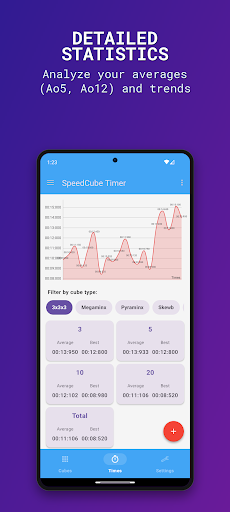
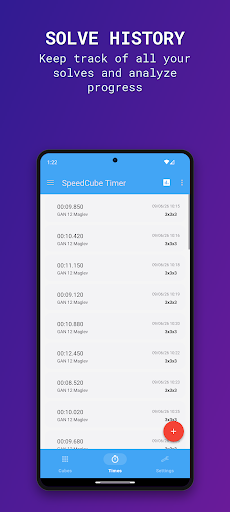
To help track long-term performance, the software records key speedcubing metrics, including personal bests, Average of 5 (Ao5), Average of 12 (Ao12), overall means, and progress charts. Scrambles are generated following official WCA regulations, complete with 2D and 3D preview diagrams so you can inspect the initial state. For complex events like the 7x7x7 or Megaminx, a step-by-step scramble assistant helps you apply long scrambles correctly.
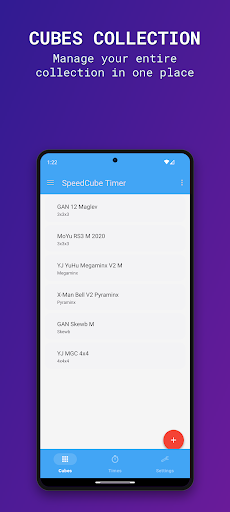
Solvers looking to speed up their execution can practice algorithm sets for F2L, OLL, and PLL using structured lessons, visual diagrams, and live rotation tracking. The app allows full visual customization, enabling you to change face colors (U, D, F, B, R, L) and plastic finishes—such as black, white, or stickerless—to mirror your physical cube. You can also create custom cube entries for non-standard mods, switch between classic two-hand, one-hand, and WCA inspection timing modes, and back up your entire database of times.
The core timing features, official scrambles, and basic training sets are available for free supported by light ads. The optional SpeedCube Pro subscription (offered as a yearly plan with a free trial, a monthly plan, or a one-time lifetime purchase) removes ads and unlocks advanced tools. Pro includes the step-by-step scramble assistant, 3D previews for non-3×3 puzzles, solvers for additional cube types, and full algorithm training sets including AF2L and CMLL. Users who previously purchased the legacy Remove ads option automatically receive Pro features.
Your comment was submitted and is awaiting moderation.
Your comment was published.