App Screenshots

Task planner and habit tracker
🐛 We’ve made things a bit better around here. Just for you. (Well, you and a few million other users ...)
💡 Tap What’s New in settings to learn more.
Keeping personal and professional tasks organized requires a tool that balances fast entry with clear planning structures. Todoist: To Do List & Calendar serves as a centralized manager for daily tasks, habit tracking, and project planning. Users can capture ideas instantly using voice commands or natural language text, which automatically parses due dates, tags, and schedules into structured lists. With options to visualize tasks across lists, visual boards, and calendars, it helps structure everything from simple daily errands to shared group projects without unnecessary administrative overhead.
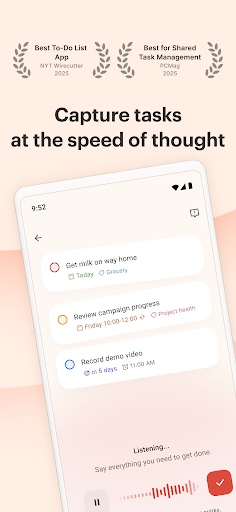
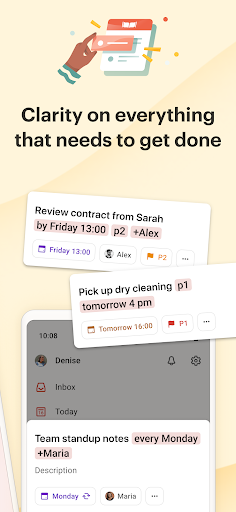
Adding items to a task list often bogs down when adjusting manual menus for dates and categories. The app simplifies this process through Quick Add, allowing users to type standard sentences like Submit report every Friday at 4pm #Work to set due dates, recurring schedules, and project tags in a single step. For hands-free entry, a voice recording feature interprets spoken natural language and automatically converts the details into structured entries with assigned deadlines and projects.
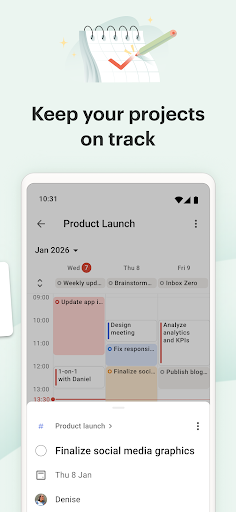
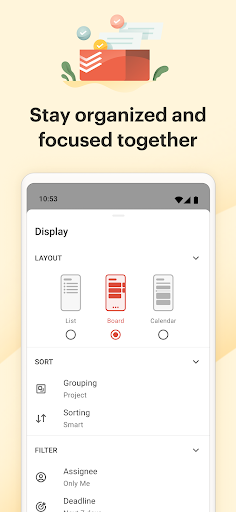
Different projects require different visualization methods to remain manageable. Users can instantly switch between a classic list view for quick scanning, a board view for tracking visual workflows, and a calendar view to map out weekly commitments. For routine routines, built-in recurring task capabilities act as a habit tracker, ensuring regular commitments like paying monthly rent or attending weekly team syncs occur on schedule.
To keep complex workflows clear, tasks can be broken down into sub-tasks and organized under distinct project sections. Users can apply labels across separate projects to filter related items quickly, while priority settings highlight critical assignments. Mobile integration includes home and lock screen widgets alongside a Wear OS tile, giving fast access to daily schedules and instant entry options on the go.
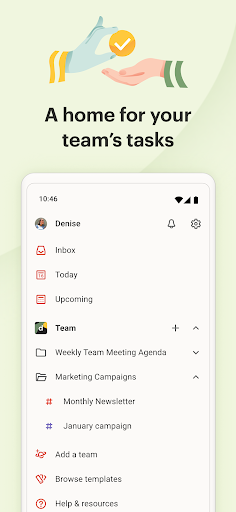
Coordinating work with others takes place directly inside shared project spaces. Users can share entire project folders, assign specific tasks to team members, and set individual deadlines so everyone understands their responsibilities. Real-time comments and attached notes allow collaborators to discuss updates and share information within the context of the task itself, reducing reliance on external message threads and emails.
Your comment was submitted and is awaiting moderation.
Your comment was published.