App Screenshots
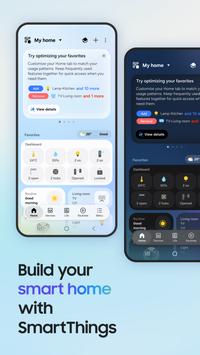

Smart home device management hub
SmartThings is getting even better.
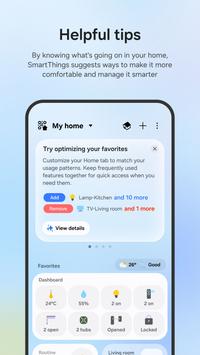
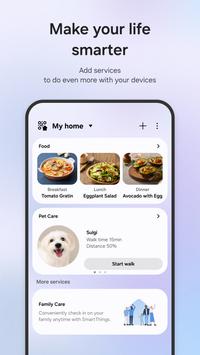
- Redesigned Home tab: Access your most-used features and key info right from the Home screen.
- Faster hub-connected device control: Devices connected to your hub respond faster when your phone and hub are on the same Wi-Fi.
- Offline device diagnostics: Check and recover offline devices from one dedicated screen.
- Routine Insights: See your top 3 most-used Routines and recent activity.
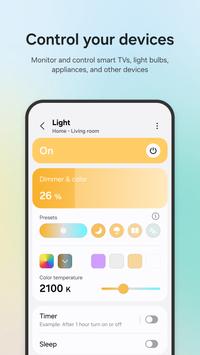
Managing a connected home often means juggling separate software for every brand of hardware you own. SmartThings brings your smart devices into a single control panel, letting you operate and monitor equipment across hundreds of third-party brands alongside Samsung Smart TVs and appliances. Beyond basic remote control, the app lets you build automated routines triggered by schedule, weather changes, or device status, and it supports direct voice commands through Google Assistant, Alexa, or Bixby.
Instead of switching between different vendor utilities, you can register smart speakers, televisions, lighting, and security equipment in one central hub. The app supports popular third-party ecosystems including Ring, Nest, and Philips Hue. Once paired, you can check device status or adjust settings from any location, send audio or video content directly to connected equipment, or place phone calls through smart speakers. Shared access controls also allow you to grant home management privileges to other household members, with push notifications delivering real-time updates when a device status changes.
The app includes an automation engine that handles background tasks based on custom parameters. You can configure routines to trigger actions automatically using specific conditions such as time of day, current local weather, or the operational state of a connected device. For onboard direct access, users can install the app on Wear OS smartwatches linked to a mobile device, adding dedicated tiles or watch face complications to launch routines and toggle devices instantly without opening the phone.
To run the app, mobile hardware must have at least 3GB of RAM, though specific functions depend on your operating system version and phone manufacturer. While the app is optimized for Samsung smartphones, some features may be restricted when running on devices from other hardware vendors. Initial configuration and feature access rely on several optional permissions: Bluetooth Low Energy and Wi-Fi scanning identify nearby hardware, camera access reads QR codes to pair devices or invite members, and high-frequency microphone detection assists with specific device onboarding. Certain features and service integrations may also vary depending on your region.
Your comment was submitted and is awaiting moderation.
Your comment was published.