App Screenshots
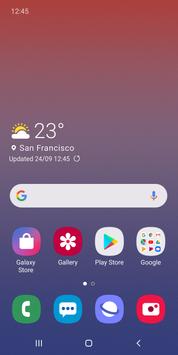
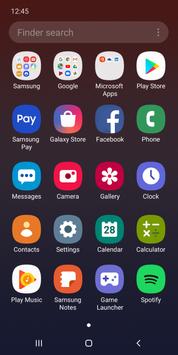
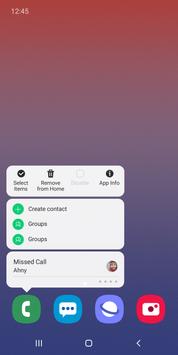
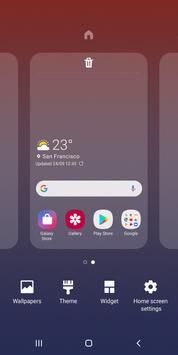

Device home screen and launcher interface
Managing and organizing a Galaxy device relies heavily on how the primary interface presents applications and tools. Samsung One UI Home provides the core desktop environment for these devices, delivering a simple screen layout that pairs traditional Home screens with a dedicated Apps screen. Beyond displaying neatly arranged icons, the app includes practical layout safeguards and quick-access shortcuts that help maintain a customized workspace while preventing accidental modifications.
Organizing application shortcuts and widgets often takes careful positioning, which can easily be undone by unintended touches. The launcher provides a specific setting to lock the Home screen layout once icons are arranged. Enabling this lock stops new pages from being added automatically and prevents icons or widgets from being moved or deleted by mistake. For quick adjustments, touching and holding any app icon or widget opens a direct pop-up menu, allowing immediate access to the App info screen or specific widget settings without navigating through the primary device menus.
Screen real estate can be expanded by adjusting how navigation is handled at the bottom of the interface. On supported system versions, traditional navigation buttons can be hidden in favor of full-screen gestures. Switching to gesture control opens up additional display space on the Home screen while allowing quick transitions between active applications through simple swipe motions.
Restoring a saved layout or custom widget configuration requires specific permissions depending on the tools in use. The app can utilize storage permissions to restore previously saved home screen layout data. Additionally, access to contacts is used selectively to populate and restore contact widget information if that feature is used on the workspace.
Your comment was submitted and is awaiting moderation.
Your comment was published.