App Screenshots
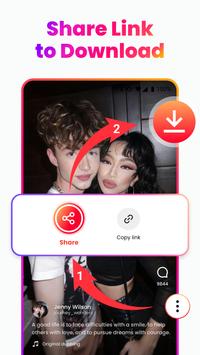




Media saver for web videos and audio
Media clips, tutorials, and short-form posts often disappear or prove difficult to save directly from social feeds. All Download solves this by capturing online videos and photo posts directly to local storage without requiring account logins or embedding watermarks. By simply pasting a media link into the app, users can extract full-quality video files up to 4K resolution or isolate just the audio track as an MP3 file. It processes incoming jobs in the background, allowing you to queuing multiple items at once while continuing to scroll through other content.
When preparing a media file for storage, the app allows you to select the exact output quality based on your current network conditions. On strong connections, videos can be saved at up to 4K resolution if the source file supports it. Conversely, choosing a lower resolution speeds up the transfer process when operating on slower connections. If a video is only needed for its soundtrack, the built-in converter pulls the audio component and saves it directly as an MP3.
Managing media through the app does not require you to keep the main interface open. You can paste multiple links into the system to initiate concurrent downloads while the processes run in the background. Once the files are stored on your device, an integrated media player lets you watch the saved clips without relying on an active internet connection, avoiding buffering delays or playback ads.
The utility operates entirely on your local device hardware rather than processing media through remote servers. It requires no user registration, profile creation, or account sign-ins to fetch media links. Because files are written directly to internal storage, saved videos, Reels, pins, and Stories remain accessible offline and stay on your phone or tablet until you choose to remove them.
Your comment was submitted and is awaiting moderation.
Your comment was published.














 How to install Chrome on Android TV and Google TV