App Screenshots

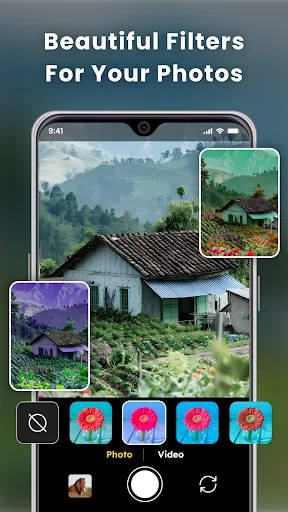
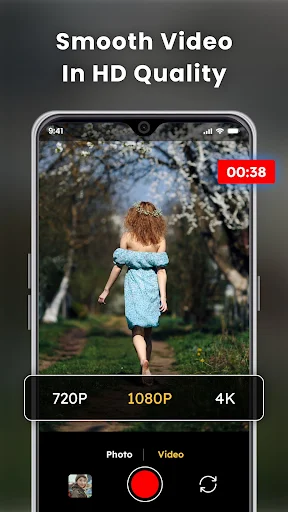
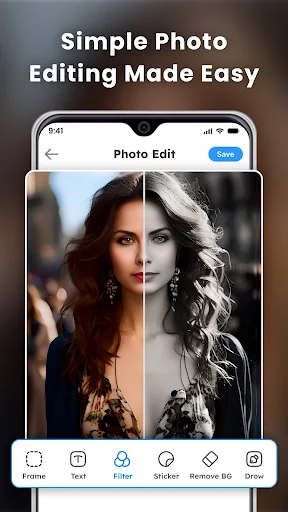


High-resolution photography and video editing tool
- Bug Fix
HD Camera Filter: 4K Camera is a mobile app that combines manual camera controls, video recording, and post-capture image editing tools. Creators, vloggers, and everyday photographers can shoot high-resolution photos and record smooth 4K videos while adjusting focus, exposure, and white balance settings directly on screen. Beyond real-time capture, the app provides tools to remove and replace image backgrounds, arrange photos into custom collage layouts, and edit visual elements through manual adjustments and filter overlays.
The camera interface features manual adjustment options that give users control over photo and video capture before taking a shot. Operators can manually adjust focus distance, set custom exposure levels, and modify white balance to suit specific lighting environments. To help establish balanced image composition, the app provides screen grid overlays, including a standard 3×3 layout and diagonal framing lines. Users can also record 4K Ultra HD video directly within the app using these manual visual settings.
After taking a photo, users can modify their images using built-in editing utilities. The app includes tools to crop, rotate, and fine-tune image properties such as brightness, contrast, saturation, and overall sharpness. An automated background removal feature allows users to isolate subject matter from a photo and swap out the background entirely, which helps produce clean graphics suitable for presentation slides or social media posts. Color enhancements and visual filter overlays can also be applied across saved photos.
The integrated collage maker allows users to combine multiple images into a single image file. It features a selection of layout templates with configurable settings for frame borders, background designs, and space margins between photos. This tool enables users to group related shots together directly within the app without needing a separate editing program.
Your comment was submitted and is awaiting moderation.
Your comment was published.