App Screenshots
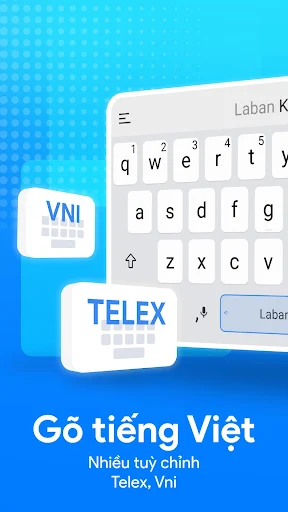
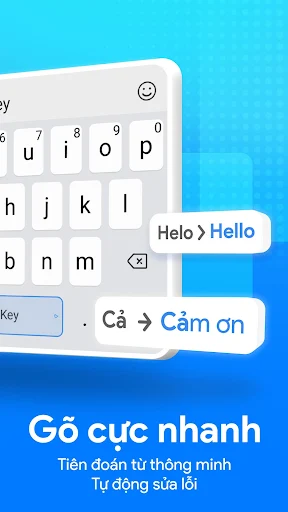

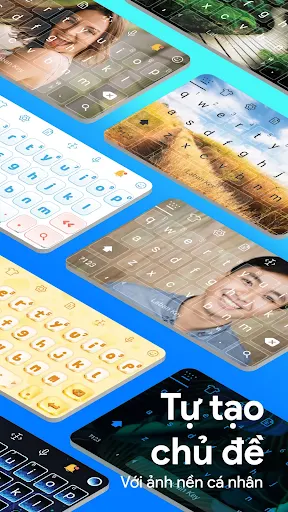


Vietnamese keyboard with Telex and VNI input
-Fix bugs & improve performance.
For people who regularly communicate in Vietnamese, Laban Key: Vietnamese Keyboard provides a reliable way to type accents quickly and accurately across daily messaging, work communication, and bilingual notes. The app centers on standard Telex and VNI input methods, making it easier to compose text naturally without fighting against system autocorrect. Alongside standard accent placement, it incorporates customizable visual layouts, smart word suggestions, and quick-access shortcut features designed to streamline high-volume typing on modern mobile displays.
The app supports both Telex and VNI input styles, allowing users to choose the system that aligns with their personal typing habits. To accommodate varied writing styles, accents can be added at different positions within a word, which simplifies mid-word adjustments and retroactive tone corrections. For heavy text entry, advanced Telex shortcuts cut down on redundant keystrokes by substituting common consonant combinations—mapping patterns such as cc for ch, nn for ng, and uu for ươ. Users can also define custom abbreviation shortcuts to expand frequently used phrases automatically.
Typing fluently in mixed-language environments is handled through built-in Vietnamese word completion and spelling checks. When alternating between Vietnamese and English in a single sentence, the engine offers contextual suggestions without forcing manual dictionary resets or erasing correct foreign words. The suggestion bar sits directly above the top key row to speed up familiar word completions, while background spell-checking flags incorrect tone mark combinations or invalid character sequences before a message is sent.
Visual and ergonomic adjustment tools help adapt the keyboard interface to different screen dimensions and single-handed or tablet typing preferences. Users can pick pre-made designs from a theme store or construct personalized themes using custom photos, specific key colors, and altered key heights. Beyond text entry, the app includes an integrated number row, a dedicated voice input mode, cursor positioning controls, and expanded symbol layouts. For casual messaging, direct access to emoji, emoticons, Zamoji, and Zavatar sticker options is built straight into the primary layout interface.
Your comment was submitted and is awaiting moderation.
Your comment was published.