App Screenshots

Data transfer utility for switching phones
This update includes improvements and bug fixes including the following:
- Improves the reliability of transferring text messages
- Improves the accuracy of transfer progress
- Fixes an issue where a transfer may unexpectedly stop
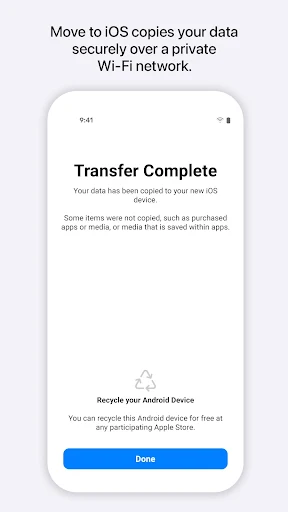
Switching to a new device often comes with the headache of manually moving your data, but Move to iOS automates this transition directly between devices without requiring you to back up files to external storage first. The app creates a temporary private Wi-Fi connection between your old device and your new iPhone or iPad, using a security code to securely pair them. Once connected, it automatically places your selected data into the correct locations on your new target device, allowing you to pick up right where you left off.
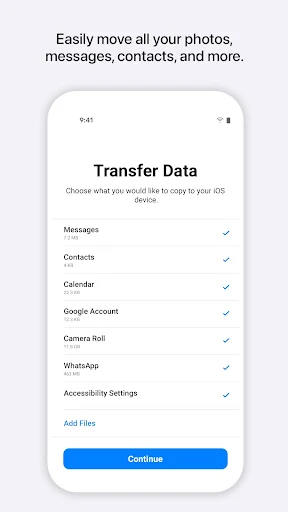
The migration process covers a broad range of personal data types to ensure your new device is populated with your essential information. It transfers your contacts, message history (including text messages, multimedia attachments, and group chats), call logs, and mail accounts directly to the native tools on your new device. Media content, such as camera photos, videos, and associated metadata, moves alongside downloaded audio files and voice memos. The app also migrates calendar events, web browser bookmarks, carrier and SIM information for managing phone calls, and supported WhatsApp content. Supported apps available on both platforms are queued for installation so your software ecosystem carries over seamlessly.
To function properly, both devices must remain close to one another and plugged into a power source until the entire process finishes. The setup relies on a local private Wi-Fi network initiated by the target iPhone or iPad, which requires granting location permission on the source device to detect and establish the peer-to-peer connection. You are given fine-grained control over what gets migrated through a series of optional permissions for SMS, photos, calendar events, call logs, contacts, and audio. While you can proceed without accepting every optional permission, withholding specific access will prevent those corresponding data types from moving to your new device. Status notifications keep you updated on the progress of the transfer directly on your screen.
Your comment was submitted and is awaiting moderation.
Your comment was published.