App Screenshots
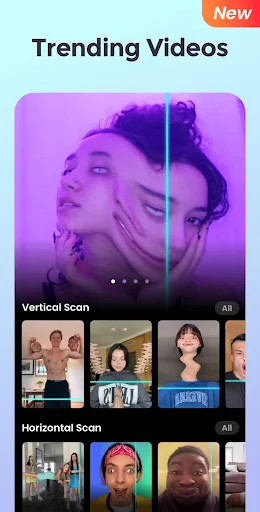
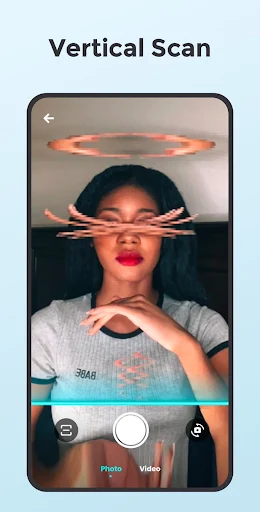
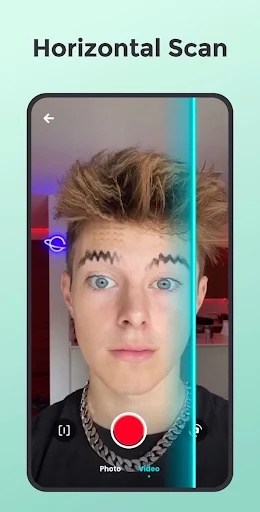
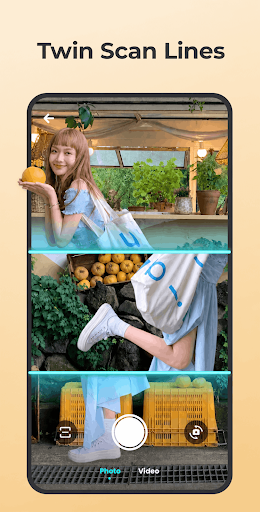
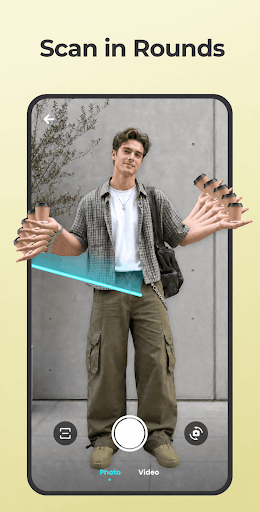

Blue line photo and video scanner.
🤪 New Face Warp: Turn your ordinary look into something hilariously unexpected!
🌈 New Glitch Effects: Get creative with color wave, negative, night vision, and more.
✨ Meet Your Cartoon Self! Try new AI styles and transform into a little cartoon character.
Creating visual tricks and exaggerated distortions on your phone often requires specific social media filters, but Time Warp Scan – Face Scan provides the popular blue line effect as a standalone camera utility. The app captures photos and short video clips by freezing the image in sequence as a line moves across the screen. This allows you to generate split expressions, stretched limbs, and floating illusions directly on your device, making it simple to experiment with timing-based visual stunts without creating a TikTok account or setting up a social profile.
The core functionality relies on a blue scan line that travels across the camera view, locking each portion of the frame in place as it passes. To get clear results, you can use the line as a visual prompt, holding a static pose before shifting your position right as the marker reaches your face or body. Moving too fast can result in messy or chaotic distortions, while deliberate, slower movements make it easier to control the final look. The app lets you choose between photo mode for instant still images—ideal for quick face warps or pet photos—and video mode, which records the entire scanning process to show how the effect unfolded.
Before starting a recording or taking a picture, you can select whether the scan moves vertically or horizontally across the screen. Vertical scanning travels from top to bottom or bottom to top, making it useful for stretching body poses, changing facial expressions midway through, or attempting mirror-style tricks. Horizontal scanning moves from side to side, which works well for wide visual illusions, split-screen poses, or altering objects held in your hand. Once a scan is finished, you can save the resulting file directly to your local gallery or export it to standard messaging and social apps.
Your comment was submitted and is awaiting moderation.
Your comment was published.