App Screenshots

Mobile invoicing and GST billing utility
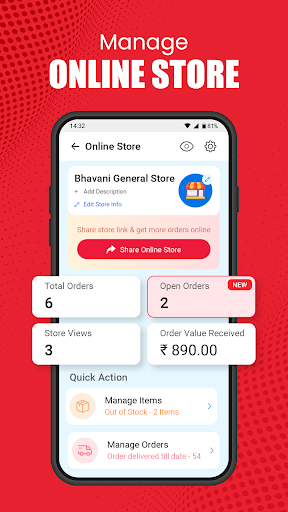
Managing business transactions, tax requirements, and stock monitoring usually requires multiple tools, but Vyapar Invoice GST Billing App combines these core operations into a single mobile platform. Designed to streamline daily financial administration, the app enables business owners to generate custom invoices, handle automated GST calculations, issue e-invoices, monitor inventory levels, and log daily expenses. It supports operational workflows across diverse commercial models, serving retail operations like kirana stores, hardware shops, and general merchants, as well as wholesale distributors, resellers, traders, and independent service providers.
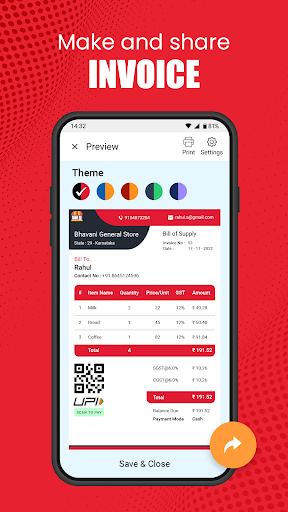
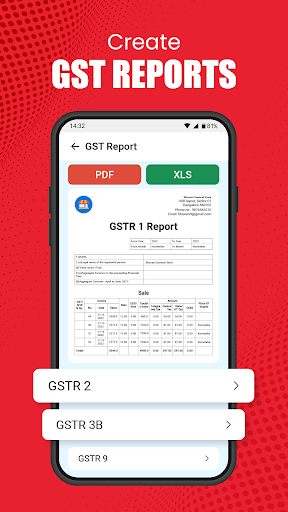
The invoicing module allows users to generate professional billing documents tailored to their business branding. Invoices can be customized by adding a company logo, selecting from standard layout options, and entering detailed transaction entries. Each line item supports specific entries for product descriptions, quantities, unit rates, and applicable tax rates. For tax compliance, the software automatically calculates required GST figures for transactions, helps issue standard GST bills, and facilitates the creation of e-invoices directly within the billing process.
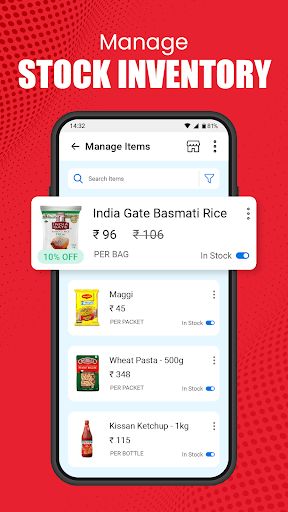
Stock management tools provide visibility into inventory movements for both goods and services. Users can organize items into distinct categories, assign initial stock quantities, and record purchases and sales as they occur. To prevent inventory shortages, the app allows users to set predefined stock thresholds and receive automated low-stock notifications when items require replenishment.
The app includes dedicated expense tracking tools to monitor operational spending alongside incoming revenue. Users can capture and record business expenses on the go, assigning them to tailored categories to keep clear records. The software consolidates this data to generate clear expense reports, helping business owners analyze their overall spending patterns.
To assist with receivables management, the app tracks the status of all issued invoices and their upcoming due dates. It includes a built-in notification tool that lets users set up automated payment reminders, which can be sent to clients to follow up on outstanding balances and reduce payment delays.
Your comment was submitted and is awaiting moderation.
Your comment was published.