App Screenshots
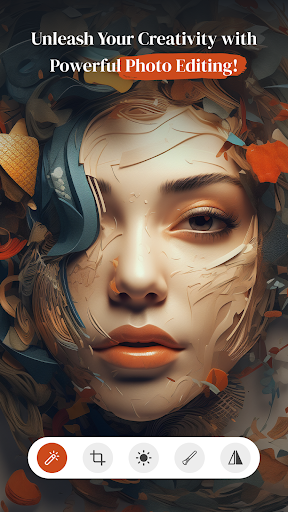
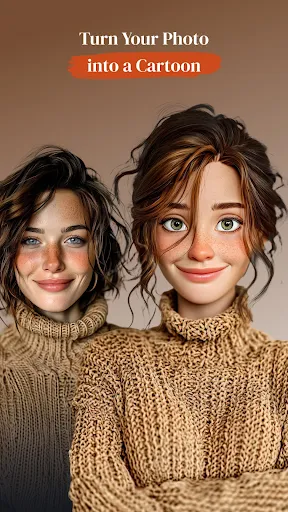

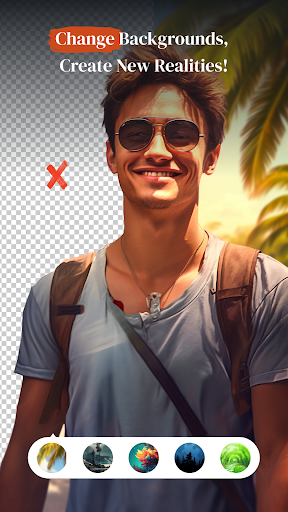
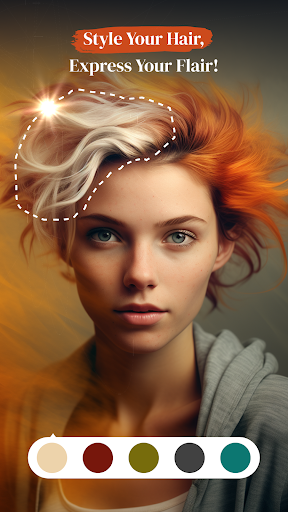

Photo editor and collage maker
• Behind the scenes, we’ve polished our advanced photo editing tools, fine-tuned filters, and squashed bugs so your creative workflow stays smooth and seamless! 🚀
PerfectPic-Photo Edit・Collage is a mobile photo editing app that lets users transform standard photographs using a combination of image adjustment tools, artificial intelligence, and virtual retouching features. It allows users to make manual edits like adjusting image contrast, applying visual filters, or assembling multiple photos into custom layout collages. Alongside standard picture editing, the app features AI-powered visual transformations, enabling users to automatically erase unwanted objects from a shot, remove and replace image backgrounds, alter hairstyles and facial hair, apply virtual makeup, or apply an aging filter to see themselves at a different age.
Distractions, extra people, or background clutter can be removed from photos using an integrated AI-powered object eraser tool. Users select the unwanted elements, and the app automatically cleans the targeted area. For broader background adjustments, the built-in background remover detaches the main subject of an image from its backdrop. This allows users to drop subjects into entirely new scenes or clear out complex backgrounds without needing to manually trace around edges.
Beyond background and object cleanups, the app includes portrait manipulation tools that alter personal appearance within photos. A dedicated hair and beard modifier allows users to test out different hairstyles, hair colors, and facial hair options with a single tap. Additionally, the app features a specific aging tool that digitally adds age-related details to a face, letting users view an aged representation of themselves without requiring manual editing adjustments.
For selfie and portrait adjustments, the app functions as a beauty camera equipped with localized retouching options. Users can apply virtual makeup, add decorative digital accessories, and adjust facial radiance directly onto their captured photos. These features provide a quick way to touch up portraits or add visual flair before combining images into larger projects.
For general picture adjustments, the app offers standard editing features including contrast controls, lighting tweaks, and visual filters to change the look and feel of any photograph. Once individual photos are edited, users can arrange their favorite images together using the built-in collage maker. This tool combines multiple photos into a single arranged frame, turning individual gallery shots into structured visual photo stories.
Your comment was submitted and is awaiting moderation.
Your comment was published.