App Screenshots
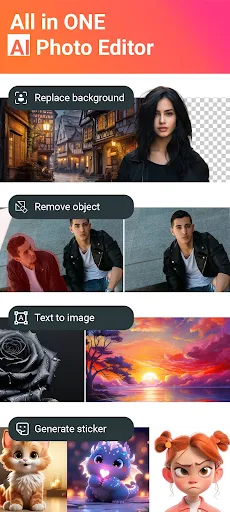
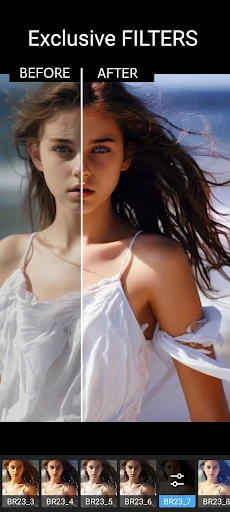
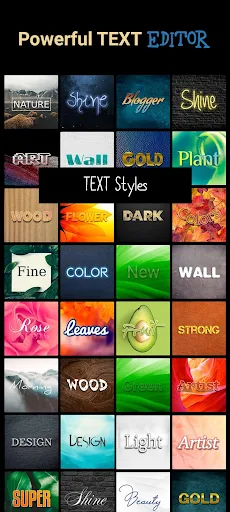
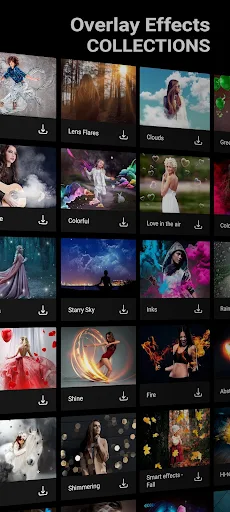
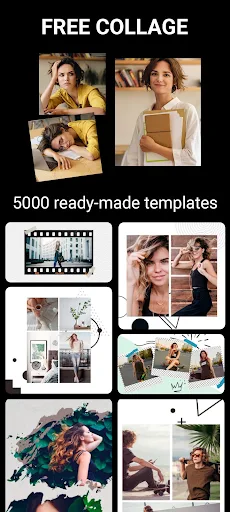
Photo editor and collage maker
• New Photo Board: automatically arrange your photos into a collage with frames.
• New Text Brush tool for creative lettering.
• Find stickers by keyword.
• Adjust perspective for stickers, photos, and shapes in collages.
• Explore new filters and colored sticker shadows.
• Smarter photo placement when switching collage layouts.
• Bug fixes and stability improvements.
Content creators looking to refine their visual style can process images and design custom layouts using Photo Studio: Photo Editor App. The application combines standard image adjustment tools with a multi-layer collage maker and background editing capabilities. Beyond simple color and exposure tweaks, it features AI-powered background erasing and targeted object removal to help clean up busy shots before publishing them to visual feeds or social media platforms.
The editing suite provides direct control over the lighting, color balance, and contrast of individual photos. Users can apply from a selection of over 150 filters and visual effects ranging from minimalist styles to high-contrast looks. For portrait editing, the application includes retouching tools designed for natural skin smoothing, along with blur and unblur options to control the depth of field and focus within an image.
The built-in collage maker allows users to combine multiple images into single compositions. Creators can arrange photos using pre-made templates or assemble custom layouts from scratch. The interface supports layering multiple images to create depth, giving users the ability to mix photo styles, apply visual effects across the entire grid, and add styled text overlays to fit specific creative themes.
When a photo contains unwanted distractions, the application provides automated and manual isolation tools. An AI-driven background eraser detects subjects to generate clean cutouts, enabling users to swap out background scenes entirely or simplify the surrounding space. Additionally, a dedicated object remover lets users select and eliminate background details or unwanted people from the frame without disrupting the rest of the image.
Your comment was submitted and is awaiting moderation.
Your comment was published.