App Screenshots




Cloud storage and file management utility
This update includes performance improvements and bug fixes to help OneDrive run smoothly and reliably.
Managing files across personal and professional spaces often requires centralizing your storage in a place that is accessible from anywhere. Microsoft OneDrive provides 5 GB of free cloud storage to back up photos, documents, and videos, with paid expansion options reaching up to 1 TB for individuals or 2 TB shared among six people in a family plan. Aside from basic storage, it features automatic camera uploads, cross-platform file sharing, and deep integration with Microsoft Office apps for real-time document editing and co-authoring.
The app simplifies photo and video management by automatically uploading device media when the camera upload feature is enabled. Once stored, media files are organized within an encrypted photo locker and automatically tagged. This tagging enables content-based search, allowing you to find specific images using keywords like beach or snow in addition to searching documents by file name or text content.
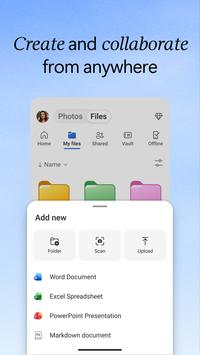
Collaboration is built around direct integration with Microsoft Office tools, including Word, Excel, PowerPoint, and OneNote. Users can open, edit, and save documents directly from cloud storage while working with others in real time. For supported accounts, Copilot AI assistance can summarize lengthy documents, extract key details, organize file structures, and provide recommendations for file sharing and collaboration workflows.
Instead of relying on third-party scanning tools, the integrated scanner allows you to capture physical documents, apply sign-offs, add markups, and send files straight from your device. Scanned items can be stored directly into secure folders to keep sensitive paperwork protected alongside your digital backups.
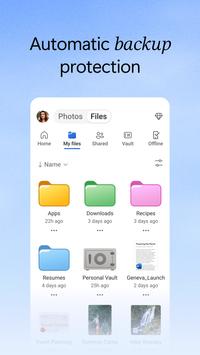
Data protection includes encryption for files both in transit and at rest. To safeguard highly sensitive personal documents, a dedicated Personal Vault provides identity-verified access. For shared materials, Microsoft OneDrive supports password-protected links and set expiration dates. Additionally, built-in ransomware detection and version history functionality allow you to monitor unauthorized changes and restore previous iterations of your files when necessary.
Your comment was submitted and is awaiting moderation.
Your comment was published.