App Screenshots

Smartwatch and earbud management tool
- Fixed the error.
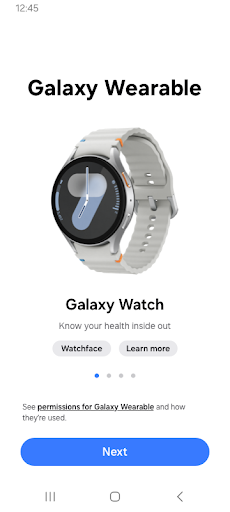
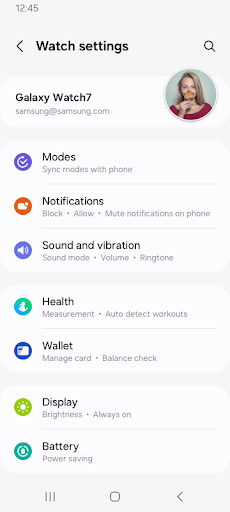
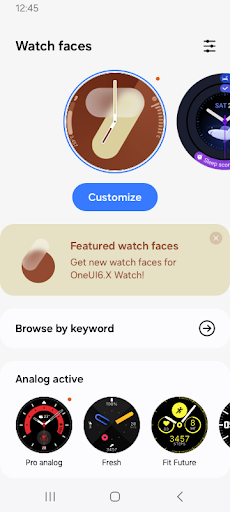
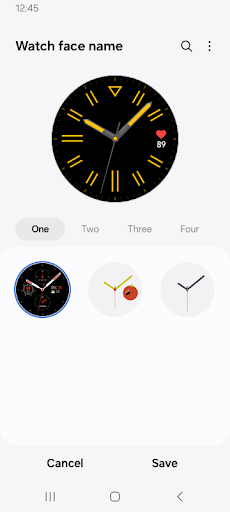
Managing connected devices requires a centralized control hub, and the Galaxy Wearable app handles the setup, monitoring, and feature customization for supported smartwatches, fitness bands, and wireless earbuds. Beyond establishing a basic Bluetooth pairing, it provides administrative tools to configure display settings, adjust clock faces, control notification behaviors, and install or update applications managed through Galaxy Apps. It also includes tools to locate misplaced hardware and manage software updates, though functional capabilities depend heavily on maintaining a stable mobile connection and providing the necessary system permissions.
The application functions primarily as a control bridge between a mobile device and connected hardware. Once paired via Bluetooth, it allows you to check connection status and toggle connectivity on demand. For audio hardware, specifically Galaxy Buds models, management features are also accessible using tablets. However, the app does not support all legacy or specialized hardware, explicitly excluding devices like the Gear VR and Gear 360.
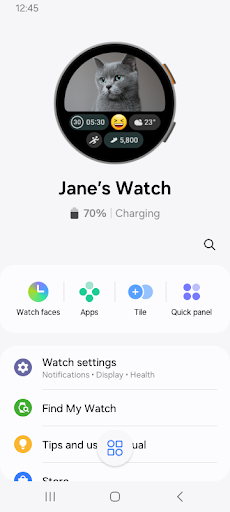
Once hardware is connected, the app exposes granular control over device interfaces and alert systems. You can browse, install, and adjust settings for applications acquired through Galaxy Apps, modify clock screen layouts, and define exactly how notifications are handled on the connected device. Depending on the specific peripheral and granted permissions, the application can also sync essential data directly from your phone, including contact details, call logs, calendar schedules, and SMS messages.
To help keep connected hardware operational and secure, the app incorporates a Find My Watch feature to locate a disconnected or misplaced device within range. System updates for connected wearables are also deployed and managed through this software interface. For full functionality—including background device searches and data syncing—the app requires specific Android permissions such as Location or Nearby Devices access, alongside access to phone identity data to facilitate plug-in installations and account sync services.
Your comment was submitted and is awaiting moderation.
Your comment was published.